Microcontroller Programming
Read this article in MAKE:
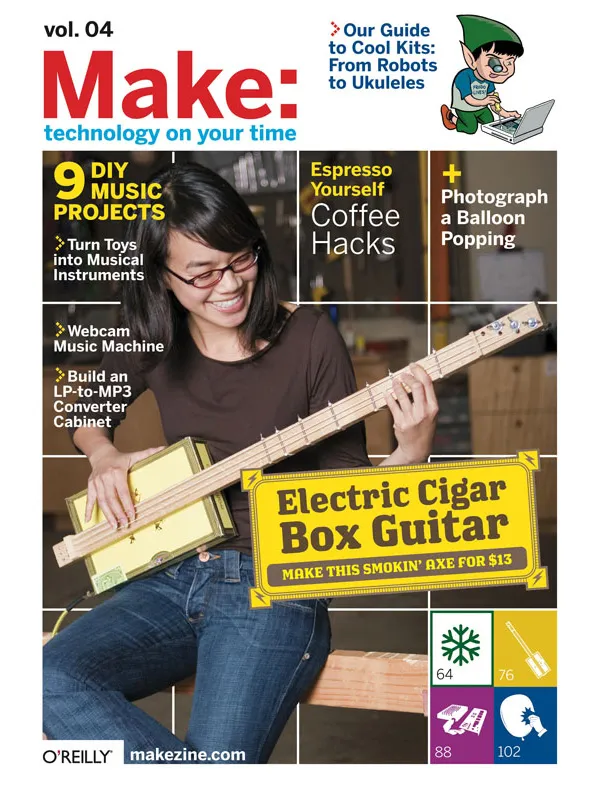
04: Music and Kits for the Holidays, Page 159.
To get MAKE, subscribe or purchase single volumes.
Easy-to-program chips tell circuitry to do what you want.
From the column Primer
By Sparkle Labs
![]() |
|
![]() |
|
| Some of the objects using microcontrollers made by the authors. | |
MAKE: Noise — Discuss this article
You must be logged in to post a talkback.[ Display main threads only] [ Oldest First]
Showing messages 1 through 10 of 10.
- Desperately Seeking Advice
You must be logged in to reply.
Can someone help me ? I am a filmmaker looking to display my videos on flat screens but I would like the videos to be triggered to play when someone walks by the screen. I'm not quite sure what is entailed, presumably some sort of motion sensor and the obvious LCDs are required ? I'd like to find the most cost effective way of producing this effect ?Posted by Lauren V on March 24, 2008 at 12:11:51 Pacific Time
- 4KHz oscillator
You must be logged in to reply.
I am having trouble finding this part at places like Radio Shack and Mouser.com, is a 4KHz crystal oscillator a fairly common part? Most crystal oscillators seem to be in the MHz range.Posted by fxer on March 01, 2006 at 16:37:09 Pacific Time
- Awesome Article
You must be logged in to reply.
I've always wanted to "play-around" with MCUs since my days at engineering school. However, there is something that still confuses me and even intimidates me...
In the circuit diagram, several components are used like resistors and capacitors. Resistors I can understand, they are used to avoid "short circuits", when the state of an output pin changes. And capacitors, well that's kind of dark for me, but I've read they are used to "compensate" for "fluctuations" in voltage. But this is my main concern/problem:
How do I know which values to use? from 4.7 ohms to 4,700 ohms? from .1 uF to 10 F?
I think (if it hasn't been addressed in any of the previous MAKE issues) this would make a super interesting article.
And if it has been addressed before, can someone point me to it? Online references/resources?
Thanks for the great article, it makes my subscription worthwhile!
Posted by lagonz on February 11, 2006 at 18:47:36 Pacific Time
- This created a stir in me, but...
You must be logged in to reply.
This article got me so excited about making smart (or smarter) devices using the PIC microcontrollers. It had been in the back of my mind to explore these chips for a while but simply didn't have the time. This article was a nice introduction to their use. However, I felt that there were many inconsistencies in the article that led to some confusion for me.
Firstly there was the price inconsistency mentioned in a previous post. Also, the Stamp modules were brought up in the comparison box, but barely mentioned otherwise in the article. Why list more pros for an item that then is not really addressed in the article? The comparison box made it seem that it would have been better to use the Stamp modules.
The author writes in another side bar that s/he is using open source tools for programming the chips in *nix, but then continues to describe the process with the Windows IDE.
Although the sample code was written in BASIC, the open source tools that were referenced in the sidebar do not offer a BASIC compiler as far as I could tell, just a PIC assembler. How was the BASIC code being compiled?
Page 161 has 3 photos numbered 1, 2, and 3, but they do not correspond to points 1, 2, and 3 in the text. As far as I could tell, the 3 photos are actually 3 different PIC programmers to which nothing in the text refers.
It would have helped if there were URLs for the resources mentioned in this article. Sure, it wasn't too hard to google everything, but it seemed sloppy that an article that introduced a technology offered no resources.
I LOVE this magazine, but this article felt like it had been overlooked by the editors and left me frustrated.
Posted by henryXchung on January 16, 2006 at 07:50:52 Pacific Time
- This created a stir in me, but...
You must be logged in to reply.
Hello,
I will try to address some of your issues here.
The price inconsistency is explained in a post below.
The BASICstamp option has many pros but the con of price is a big one. If all of your projects have $50 chips in them they get expensive. It is also common to burn out chips through improper wiring. Not a big deal on a $3 PIC.
The sidebar was written by another author (and says so). It only points you to other possibilities. There are only BASIC compilers for Windows.
The photos of programmers is missing a legend:
1. Microchip's PICkit 1 ($35)
2. Microchip's ICD2 (hockey puck) with a Universal Programming Module ($200)
3. Dontronik's Warp-13 programmer ($100)
Microcontroller Programing Part 2 is in the works and will contain more info.
Posted by sparklelabs on January 16, 2006 at 08:54:05 Pacific Time
- Re-using microprocessors
You must be logged in to reply.
Something else the article didn't mention -- can microprocessors be re-used? Or are they like CD-Rs, where you can only write once?Posted by sprad on December 26, 2005 at 13:27:06 Pacific Time
- Re-using microprocessors
You must be logged in to reply.
The memory in microcontrollers is erasible- you can reprogram them. They use flash memory (same kind as in CF cards, maybe?). At least with the ones I'm familiar with, this means that they retain their programming while unplugged, but you can reprogram them easily, just by uploading a program.Posted by mrzonker on December 30, 2005 at 11:20:10 Pacific Time
- Hardware programmer prices
You must be logged in to reply.
The article seems to contradict itself -- in the pro/con section, it says a hardware programmer is about $200. But in the step-by-step, they're using a USB hardware programmer that costs $35. Are they talking about the same thing?Posted by sprad on December 26, 2005 at 13:25:22 Pacific Time
- Hardware programmer prices
You must be logged in to reply.
A couple of errors made there way into the article. Proffesional level programmers can cost around $200 and have features such as USB and serial interfaces, in-circuit programming and debugging. The PICkit 1 described in the article is $35 and programs only some 12 and 14 pin PICs. There is a wide variety of PIC programmers on the market with various prices and features. You can also purchase kits for building your own programmers.Posted by sparklelabs on January 07, 2006 at 11:09:38 Pacific Time
- Hardware programmer prices
You must be logged in to reply.
Hi,
I didn't read the article and I don't know what kind of micros the author used, but you can get cheap programmers for AVR micros.
Atmel offers a programmer for $35 (AVRISP), or you can build your own printerport programmer (STK200/300 compatible) for a few cents.
http://www.qsl.net/ba1fb/avrisp.gif
A good C-compiler and development environment is "Codevision AVR" (supports STK300), 2k limited trial version free.
For PIC-micros most programmers are commercial, and the third-party ones start at $50. It might be worth it to invest in an ICD2, though.
Hitech-C offers a free PIC16F compiler, size limited to 1k (PICC-Lite).
Microchip offers a C-compiler for the 18F devices in a 60day trial version. It will continue to work after 60 days, but lose some optimizations
Posted by Lrrr on January 02, 2006 at 19:29:22 Pacific Time
|
Showing messages 1 through 10 of 10. |
Join the conversation -- every MAKE article has an online page that includes a place for discussion. We've made these RSS and Atom feeds to help you watch the discussions: subscribe.

Why advertise on MAKE?
Read what folks are saying about us!
Click here to advertise on MAKE!
Explore More in Make Magazine
Search the pages of MAKE
Raves for MAKE!
“Now we've got geek DIY (do it yourself) porn. Just as would-be Emerils pore over lushly illustrated cookbooks with recipes involving hard-to-find morels and complicated instructions for roux, Tom Swift wanna-bes are devouring MAKE.”
— Steven Levy, Newsweek
“...O'Reilly Media recently launched what has already become the bible of this new movement, a magazine called MAKE.”
— Daniel Roth, FORTUNE
“If you're the type who views the warnings not to pry open your computer as more a challenge than admonition, MAKE is for you.”
— Rolling Stone
“One of the most innovative magazines I've seen in a long time.”
— Steve Riggio, CEO Barnes & Noble
“The kind of magazine that would impress MacGyver”
— Marcus Chan, San Francisco Chronicle
|
|