How to Install the Arduino IDE for Windows

You can’t program an Arduino without the IDE! Some of the things that I’ve made are made with Arduinos. So, how do you install the IDE? These instructions will tell you how.

Steps

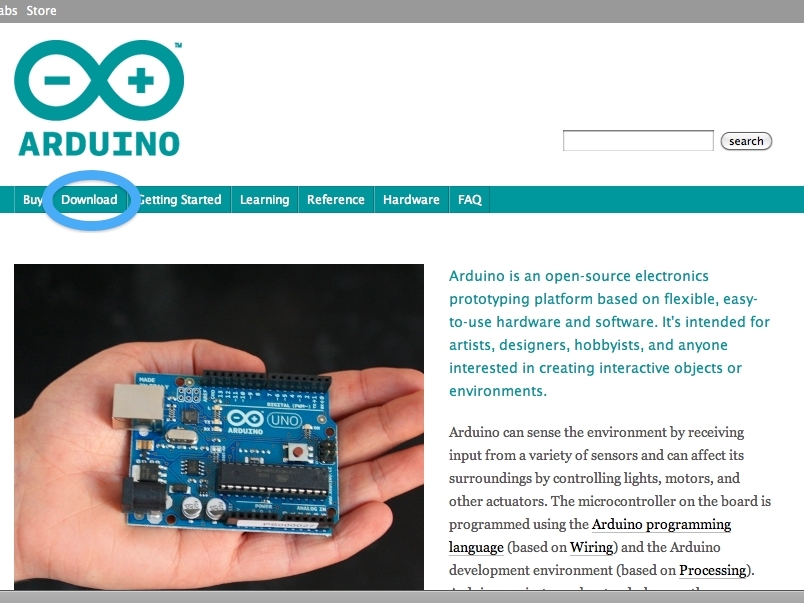
Step #1: Download the software

Next
How to Install the Arduino IDE for Windows
  • Go to http://www.arduino.cc. Download the latest Software. I used 1.0. (Because it was the current one) Once it is downloaded, you're going to have to drag and drop it into C: Program Files.

Step #2: Do the rest of the "chores"

Next
  • Once it's done loading into C: Program Files, open it. But if the arduino software is zipped, you'll have to unzip it. (Here's how to do it: Open up another C:. Click on make new folder. On the first one you opened, double-click on the software for the arduino. Once it's opened, you drag the entire folder(( yes, the folder that contains the IDE)). ) Once it's done doing that, click on the unzipped arduino folder. Once you open that you should see a folder that says arduino. Right click on that. Click on create shortcut.

Step #3: Installing the drivers

Next
  • Plug in the Arduino to your computer using the USB cable. It should fail despite its best try. Go to Start > Control Panel > System and Security > Device Manger. You should see the words Arduino Uno (or whatever you're using) Right Click > Update Driver Software > Browse. Then browse for the arduino software in C: Program Files/Arduino/drivers. Click next (or something like that.) You're Done!!

Step #4: Set up the IDE

Next
  • Click on the shortcut you made earlier. Go to Tools > Serial Port > then use what ever COM port you're using. (You can check whatever one you're using by going back to the device manager > COM. Click on ones until you find yours.) Select what arduino board you're using.

Step #5: Your first program!

  • Keep the arduino plugged in so that you can program it. Go to Files > Examples > Basics > Blink. Once you have that done, press the reset button on the arduino. Click upload. And if all went well, you should see the "done uploading" on the bottom of the IDE. Plug an LED into pins digital 13 and ground. It should blink. If not, then flip the pins around.
  • Happy making!

One Response to How to Install the Arduino IDE for Windows

  1. Chris Dotchin on said:

    I program HTML, CSS, JAVAScript, C#, C++ and much more, e.g.PHP, MYSQL….
    Having spent well over 100 man hours and well over 250-00 GBP asking Advice from various experts and nobody can deduce why the USE doesn’t work. Very very upset, especially considering I have been given less than 6 months life expectancy. Maplin stAff suggested I must be ‘non technical’. I don’t have the fight or time to pursue complaint, but most upset now
    Regards

    Chrisdotchin@gmail.com

Leave a Reply

Fill in your details below or click an icon to log in:

WordPress.com Logo

You are commenting using your WordPress.com account. Log Out / Change )

Twitter picture

You are commenting using your Twitter account. Log Out / Change )

Facebook photo

You are commenting using your Facebook account. Log Out / Change )

Connecting to %s

%d bloggers like this: