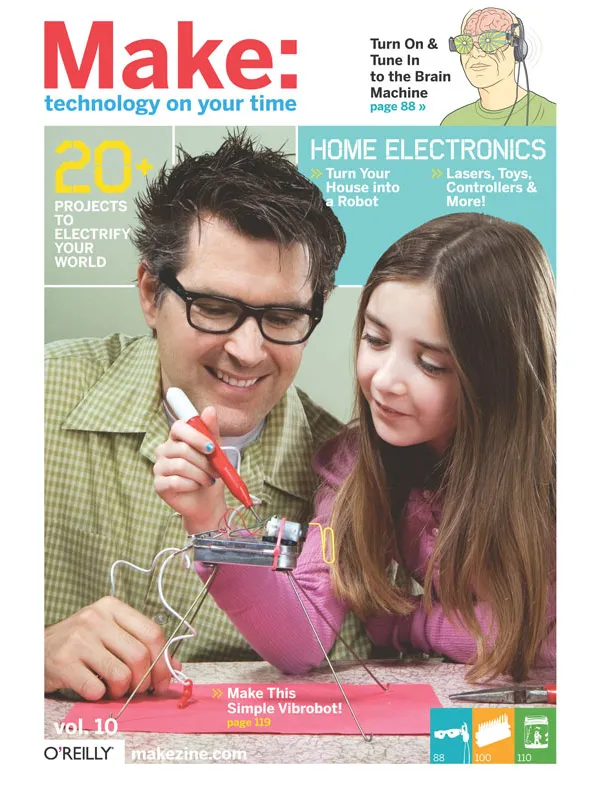
Vol. 10: The Brain Machine
Get altered states of consciousness with this microcontroller-driven sound and light device.
+ Downloads & Extras:
Brain Machine Online
Click to download
Weekend Projects Video from the MAKE:Blog
+ LINKS
Brain Machine Kit in the Maker Shed Store
MAKE:Blog Video Podcast
See an interview with Mitch Altman and watch Bre Pettis make and use a Brain Machine.
AVR Freaks
Monroe Institute
The Anna Wise Center
MiniPOV3
Mouser Electronics
POV Kit
» MAKE: NOISE — Discuss this article
You must be logged in to post a talkback.[ Display main threads only] [ Oldest First]
Showing messages 1 through 250 of 572.
Next Page ![]()
- Adafruit kit
You must be logged in to reply.
Hi Mitch, Im new to the ATmega controllers- I got the brain machine kit from adafruit and it works fine - however, I can't see any references to the 6 pin Interface for uploading firmware; would really appreciate pointers such as a how to for this interface. Thanks for an interesting product, I studied meditators, hooked up to elaborate EEG apparatus back in 1986!Posted by 3d on July 07, 2012 at 20:33:10 Pacific Time
- Adafruit kit
You must be logged in to reply.
Hi 3d,
I hope you're enjoying your Brain Machine.
The Brain Machine kit comes with the microcontroller pre-programmed to generate the exact same meditation sequence that I uesd for the original MAKE Magazine article. If you would like to re-pregram it, you can use the standard AVR In System Programming (ISP) port that is built into the kit.
The USBtinyISP kit from Adafruit is a great, and inexpensive programmer that will work to re-program your Brain Machine kit's microcontroller.
http://www.adafruit.com/products/46
If you want to learn more about using the USBtinyISP, the Adafruit website has a user forum, where there is a bunch of info, and where people are continually helping each other.
http://forums.adafruit.com/viewforum.php?f=20
You can also get lots of info and help on the AVR Freaks website!
http://www.avrfreaks.net/
If you want to hack the Brain Machine firmware, you can download it for free from the Adafruit website.
http://ladyada.net/make/brain/download.html
Hope that gets you going!
Best,
Mitch.
Posted by maltman23 on July 08, 2012 at 19:37:48 Pacific Time
- NeuroDreamer sleep mask (Brain Machine 2.0)!
You must be logged in to reply.
After 7 years of work (and play), my NeuroDreamer sleep mask is finally ready for production! I just made my Kickstarter live! Please spread the word, and help me help people get much needed rest.
http://www.kickstarter.com/projects/maltman23/neurodreamer-sleep-mask-0
This is, of course, an open source project. It is the project which I vastly simplified to create the original Brain Machine.
NeuroDreamer sleep mask generates 4 brainwave frequencies at a time (instead of just 1, as with the Brain Machine), and it generates beautiful and soothing complex sounds in a chord of 4 notes(instead of just square waves playing one note, as with the Brain Machine). Also, there are 4 different colored lights over each eye, each fading in and out (rather than just 1 red LED over each eye merely blinking on and off, as with the Brain Machine).
I'm so psyched that I finally have the NeuroDreamer sleep mask ready. I have preliminary documentation up on the NeuroDreamer website -- check it out:
http://www.neurodreamer.com/
Mitch.
Posted by maltman23 on June 10, 2012 at 12:44:51 Pacific Time
- Confused about leds
You must be logged in to reply.
Hi Mitch,
I am making a version of the sleep machine using the arduino and I was wondering how you get the leds in synchrony with the sound. What confuses me is that from what I understand, the sound frequency we are tuning our brains isn't really coming from anywhere but it is rather an interpretation of our brain when it hears the two distinct frequencies from each ear. How do you program the leds so that they are in synchrony with this perception?
Also, if I have my leds following a theta wave, let's say 4 hz, is there a certain amount of time I should have the leds on during that second, for example, if i turn the leds on for 0.125 seconds and then off for 0.125 seconds and repeat this four times, would that be any different from turning my leds for 0.200 of a second and then turning it off for 0.050 of a second and repeating these four times?
I have been testing my brain machine with some different waves, so far, I have not been able to see the patterns people describe seeing, I am however hearing cool sounds like birds chirping and waterfalls. I don't know if that is part of the effect or if it is just me going crazy :)
Hope you can help me, btw, this is awesome!Posted by nakamuri on May 07, 2012 at 20:14:27 Pacific Time
- Confused about leds
You must be logged in to reply.
I'm just about finishing something similar. I'm using a msqeq7 (graphic equaliser) chip to take the music input from a stereo jack and feed the output through an Arduino to six LEDs. I also connected two LEDs to the Arduino, with a flash frequency controlled by a potentiometer.I found that with the output from the msqeq7, it wasn't flashing quickly enough, depending on what I was listening to. Being able to adjust the flashing frequency seems to produce better visual effects.
Its all currently on a breadboard so I still have to finish off my protoboard and wire up a set of safety glasses with the LEDs using an old 9-pin serial cable.Posted by peckerdunne on May 16, 2012 at 12:15:31 Pacific Time
- Confused about leds
You must be logged in to reply.
Hi peckerdunne,
Sounds like a cool project for making interesting visual effects. If you want to add some brainwave frequency info into the mix, than you may find some even more interesting effects. Maybe use the equalizer chip to do some interesting things with the external sound, and add that to the binaural beats? Anyway, if you get some interesting results, please share them!
Best,
Mitch.
Posted by maltman23 on May 16, 2012 at 19:24:12 Pacific Time
- Confused about leds
You must be logged in to reply.
Hi nakamuri,
For this simple Brain Machine, I simply have made the LED blink rate the same as the difference in pitch between left and right ears.
Everyone sees different things. It depends on your past experience, memories, and imagination.
I don't actually know what difference it would make if the ratio between on and off times (this is called "duty cycle") for the LEDs is changed. Try changing the duty cycle, and see if it feels different for you. And please report back so others can learn from your experience.
Best,
Mitch.
Posted by maltman23 on May 08, 2012 at 02:43:00 Pacific Time
- Confused about leds
You must be logged in to reply.
Hi Mitch,
Certainly will give it a try and will post details when I've got something presentable.
PeckerPosted by peckerdunne on May 17, 2012 at 12:28:34 Pacific Time
- Confused about leds
You must be logged in to reply.
I meant to say mind machine*Posted by nakamuri on May 07, 2012 at 20:27:06 Pacific Time
- Confused about leds
You must be logged in to reply.
I meant to say mind machine*Posted by nakamuri on May 07, 2012 at 20:26:59 Pacific Time
- Program the BM (ATTiny25 version) with Arduino
You must be logged in to reply.
Has anyone tried to reprogram the Brain Machine (ATTiny25 version) using an Arduino as the ISP? I understand that arduino doesn't like certain lines of code and I was wondering if anyone knows how to modify the code for ATTiny25 version Brain Machine?
Here's a link to the code:
https://github.com/adafruit/Brain-Machine/blob/master/firmware/bm.cPosted by Denver Risley on May 01, 2012 at 16:04:54 Pacific Time
- Program the BM (ATTiny25 version) with Arduino
You must be logged in to reply.
Hi Denver,
A bunch of people have ported the Brain Machine firmware to Arduino. Just do a search on this page for "Arduino". You can also do a search on your favorite search engine for "Arduino Brain Machine".
Happy tripping out,
Mitch.
Posted by maltman23 on May 03, 2012 at 16:38:40 Pacific Time
- Brain Machine Music Software
You must be logged in to reply.
Hi Mitch,
First of all I would like to thank you for making this incredible device.
I've built one from an Arduino, using the instructions from
https://github.com/LaughterOnWater/Arduino-Brain-Machine
After playing around with it for a couple of days I thought it would be a cool idea to see if I could somehow sync the visuals to one of my favorite songs of all time: "Shine On You Crazy Diamond" by Pink Floyd. So I timed the song and devided it up in segments and chose one of the five frequencies to match it. Finally i manually edited the sketch to make it work.
I was really pleased with the result, but realized it was a lot of work to do this for multiple songs. So i thought I'd try and make a program for it. I haven't finished it yet, but this is a screenshot of what it looks like so far:
http://dl.dropbox.com/u/14711660/Picture%201.png
Basically, you open an audio file and play and pause it at any time to insert a visual. Each frequency has a corresponding color, shown under the waveform. When you're done, you can export it as an Arduino sketch and upload it to your device.
As I said, It isn't completely done yet, but I'm posting this here because I was wondering if anybody else would be interested in this and also to see if anyone has any feature ideas. I suppose I could also make it work without an audiofile, just using the binaural audio. And making it work with the MiniPOV version also shouldn't be a problem.
I will post a link to it (and the source code) when it is done. It's built in RealBasic, so i'm guessing it should be cross-platform (this is my first Realbasic project).
Any ideas are more than welcome
René Nijman
HollandPosted by Renenijman on September 09, 2011 at 16:35:40 Pacific Time
- Brain Machine Music Software
You must be logged in to reply.
Hello, René,
Way cool project! Thanks for sharing it. A bunch of people have talked about sync-ing up the brainwave blinking to music. Looks like you've got a great start to helping make that happen. I also love "Shine On You Crazy Diamnond" (and that entire album)! There's probably many others who would like it if you shared that sequence you created for it. And please do share your Realbasic program after you get it going.
I'm going to be at the NYC Maker Faire Sept 17th & 18th, and we'll have a spot in the Makershed where people can try out and play with the Brain Machine (and the ready-made version, TripGlasses). If you happen to be in the area, feel free to bring yours to show off.
Cheers,
Mitch.
Posted by maltman23 on September 10, 2011 at 01:29:43 Pacific Time
- Brain Machine Music Software
You must be logged in to reply.
Thanks Mitch,
I will post my Shine on You Crazy Diamond sequence, after I've polished it up a little (still some minor sync issues).
I expect the program to be finished later this week, so I'll keep you all posted.
Kind regards,
René Nijman
P.S.: Thanks for the invitation, but I'm affraid it'a a bit far away for me, living in The Hague, Holland :)Posted by Renenijman on September 10, 2011 at 05:05:09 Pacific Time
- Brain Machine kit user forum
You must be logged in to reply.
FIY, Ladyada makes a Brain Machine kit, based on this Brain Machine project (except that it has its own PC Board, rather than using the MiniPOV PCB), and, as with all of her kits, she has a user forum for the kit. Lots of good discussion there, too:
Brain Machine Kit user forum on Ladyada websitePosted by maltman23 on February 20, 2011 at 15:27:34 Pacific Time
- Brain Machine for Arduino
You must be logged in to reply.
I've created a brain machine for Arduino. Right now, it's in the development stage.
The article about it is here:
http://low.li/story/2011/01/arduino-brain-machine
The git repository is here:
https://github.com/LaughterOnWater/Arduino-Brain-MachinePosted by gr33nman on February 15, 2011 at 10:14:58 Pacific Time
- Brain Machine for Arduino
You must be logged in to reply.
Hey gr33nman,
Thanks for sharing your Arduino version of the project. I took a look at the documentation on your link. Arduino uses an ATmega328, whereas the Brain Machine (hacked from the MiniPOV) uses an ATtiny2313. These use different timers, as you point out. But the Arduino runs at 16MHz, and the Brain Machine runs at 8MHz -- and this also accounts for why your durations were too long till you changed the delay routine. You will also need to change the numbers for each brainwave type in the do_brainwave_element, routine to account for the difference in frequency (you will use 16,000,000 instead of 8,000,000 in the equation shown in the comments above the routine). But there may be differences in the equation, due to the differences in the timers between the two different microcontrollers (or maybe not -- I haven't checked into it).
Anyhow, please do report back here, and on the Ladyada user forum (where you also posted about this) if you get some interesting results.
Cheers,
Mitch.
Posted by maltman23 on February 19, 2011 at 00:17:26 Pacific Time
- Brain Machine for Arduino
You must be logged in to reply.
Hi Mitch,
I elected to use the tone library to generate tones for the Arduino instead of creating tones manually. For that reason, all of the code regarding this is stripped from my adapted code. Just to be sure the tones were correct, I generated equivalent square-wave tones using Audacity. They are nearly identical to my ear - close enough to rely on the binaural beats generated by the tone library.
I used a central tone:
float centralTone = 440.0;
and an array of beats:
float binauralBeat[] = { 14.4, 11.1, 6.0, 2.2 };
so the code plays beta thus:
rightEar.play(centralTone - (binauralBeat[0]/2));
leftEar.play(centralTone + (binauralBeat[0]/2));
This allows users to choose whatever general pitch they might like to start with and never have to fiddle with exact tones after that. The code does the rest for us. Also, allowing the tone to go up and down equally in both ears may seem more 'natural' to some listeners than leaving one tone unmoving in one ear.
So if someone wanted to add gamma to their set,
it's a case of changing float binauralBeat[] to
float binauralBeat[] = { 14.4, 11.1, 6.0, 2.2, 40.4 };
and adding the case:case 'g':
// Gamma
rightEar.play(centralTone - (binauralBeat[4]/2));
leftEar.play(centralTone + (binauralBeat[4]/2));
// Generates a binaural beat of 40.4Hz
// delay for the time specified in the table while blinking the LEDs at the correct rate
blink_LEDs( pgm_read_dword(&brainwaveTab[index].bwDuration), 124, 124 );
return; // Gamma
just before the default end of switch(brainChr).
To my and ear, binaural beat and blinks are matched, at least when they are slow enough that my brain can make the distinction, like theta and delta.
Posted by gr33nman on February 20, 2011 at 11:43:27 Pacific Time
- Brain Machine for Arduino
You must be logged in to reply.
Thanks, gr33nman.
For Gamma, the frequency can be all the way up to 100Hz. So, it would be interesting to experiment with different frequencies, and see how the results differ.
Using the Aruino tone library does make things way easier.
Cool idea to split the frequencies between the left and right ear, so that the frequencies shift up and down in each ear (yet keeping the binaural beats the same). Do you find that it feels better?
Mitch.
Posted by maltman23 on February 20, 2011 at 15:21:16 Pacific Time
- Brain Machine for Arduino
You must be logged in to reply.
There are so many articles out there with different ideas about frequency ranges. I even found one with a 'sigma' range. I wish there were a definitive text on frequencies, but all I'm finding seems to be the most-common current medical opinion. For instance, there used to be four stages of sleep and now apparently they've collapsed stages three and four, even though there are different frequencies being generated during the non-REM stage three sleep.
To me the central tone method seems more natural. I'm guessing users may not even notice or care. For me, once I noticed it, I couldn't stop noticing, so I changed it.
I've also created a function alt_blink_LEDS() that blinks the LEDs alternately rather than concurrently. I also introduced more cases using the alternate blink function so they could be easily incorporated into a duration table. When using the alt_blink_LEDS() function with delta and theta, I get the distinct impression of warm sunlight on my face. Go figure. It also adds some different and interesting optical effects at most frequencies.Posted by gr33nman on February 21, 2011 at 06:21:35 Pacific Time
- Brain Machine for Arduino
You must be logged in to reply.
Although people have been researching brains for a long time, we still know so little about them. It's a fascinating field -- the notion of using brains to study brains has always given me a sense of the self-referential.
Brainwave frequencies have been studied since the late 1920s. And, as with all aspects of the brain, we know a lot more now than even a few years ago -- but still know very little. As new studies are made, new ways of looking at things are bound to emerge. As we get new data, newer models are formed to try to explain the new data. It doesn't mean that the new model is correct. But, hopefully it is more useful. At least until a newer model is created to explain new data.
I originally used LEDs in synch with the binaural beats since it seemed intuitive to me that if more of the brain is presented with synchronous frequencies, then it would be easier for it to synchronize (i.e., entrain) easier. But others have been alternating the lights in each eye for awhile. Thanks, gr33nman, for making the alt_blink_LEDS() function -- now it's easier for others to try it either way, and everyone can experiement and see what they like better. If anyone has any interesting results, please post it here and/or at the Ladyada user forum for the Brain Machine kit.
Mitch.
Posted by maltman23 on February 21, 2011 at 12:47:05 Pacific Time
- Brainwaves
You must be logged in to reply.
Would there be a way to alter the code to help induce gamma waves or other different levels of meditation naturally like your original code?Posted by Anthony Marks on February 13, 2011 at 20:46:10 Pacific Time
- Brainwaves
You must be logged in to reply.
You'll have to do a little math, but it will involve setting up one of the if clauses so it recognizes gamma.
"else if (brainChr == 'g') {
== stuff Mitch wrote ==
== plus stuff numbers you've tweaked ==
}"
Then add some g to the brainwave duration table thus:
"{ g, 300000 }" etc...
There may be other changes you'll have to make, but yes, it is possible.
Sorry, you'll have to figure out what 40Hz is for the tone and blink frequencies, unless someone comes behind and suggests some.
Posted by gr33nman on February 15, 2011 at 10:37:39 Pacific Time
- Brainwaves
You must be logged in to reply.
Hi Anthony,
As gr33nman showed, you only need to add a 'g' (gamma) section to the firmware (and do some math to get the correct gamma frequencies - but this shouldn't be too difficult, since my firmware is very well documented, and full of comments on how to do this). There is also a link, above, for further documentation.
I left gamma frequencies out of the original project, since a bunch of people say they feel anxious when they have lights going at gamma frequencies (and I don't want to scare people). But there are no known negative side-effects (if you're not epileptic, or otherwise photosensitive), so you can experiment, and see how it goes for you. Please report back with any interesting expereinces (expected or unexpected).
You can also very easily hack the meditation sequence. All you need to do is change the table at the beginning of the firmare -- this is also very well documented in the firmware.
You can download the firmware (with its embedded documentation) from the "SLM Firmware" above the photo near the top of the page. You can also download the documentation I wrote up about the project, which talks more about the math to change the frequencies at the "SLM Documentation" link just below the firmware link.
Cheers,
Mitch.
Posted by maltman23 on February 19, 2011 at 00:06:06 Pacific Time
- disregard prior message re brainmachine
You must be logged in to reply.
Hi, after readiing other peoples questions and answers, I fixed my problem, got avrdude to work, reprogrammed controller just like shown in video. Thanks for the great device Mitch, hope to be fired up in a few miinutes. Also your TV b gone is a source of great pleasure quite often. You rock!
Dave
Posted by burntdigits on February 13, 2011 at 08:57:10 Pacific Time
- disregard prior message re brainmachine
You must be logged in to reply.
Hey burntdigits,
Glad you got your Brain Machine going. Happy tripping out!
And thanks for turning off lots of TVs!
Cheers,
Mitch.
Posted by maltman23 on February 18, 2011 at 23:56:19 Pacific Time
- brain machine kit not programming
You must be logged in to reply.
Hi, got the kit from makershed and she's all put together, pov program is working, now I want to run makefile to set it up as brainmachine. I get exactly to where you are in the podcast at the command prompt, enter in make program-slm and am told "make" not recognized as an internal or external command, operable program or batch file.
Admittedly I am not much of a computer maker, more of a mechanical guy.Posted by burntdigits on February 13, 2011 at 08:09:27 Pacific Time
- Attiny 25
You must be logged in to reply.
I build the brain machine based on a attiny25 as shown here:
https://github.com/adafruit/Brain-Machine/tree/master/firmware
The audio frequency is right: 200Hz on one side but the led frequency is too high: 19 Hz (at the beginning).
I'v burned the hex-file and compiled the sourece by myself, but with the same result.
Has anybody build the bm with an attiny25 and has not got this problem ?
Posted by Another Michael on December 22, 2010 at 06:54:28 Pacific Time
- Attiny 25
You must be logged in to reply.
Hello, Michael,
I wrote the firmware that Ladyada posted to github. I think I did the math correctly for the blink rate. But, it is possible I made a mistake. How did you determine that the blink rate is 19Hz? If you think the blink rate is wrong, please look at my comments in the firmware in the do_brainwave_element() function, which is where the audio frequencies and blink rate frequencies are determined, and see if my math is wrong. And please post back, letting me know.
Thanks!
Mitch.
Posted by maltman23 on December 24, 2010 at 08:55:40 Pacific Time
- Attiny 25
You must be logged in to reply.
maltman23 schrieb:
> Hello, Michael, I wrote the firmware that Ladyada posted to github. I think I did the math correctly for the blink rate. But, it is possible I made a mistake. How did you determine that the blink rate is 19Hz?
I've measured it with an digital Oszilloscope and an Fluke 189.
> If you think the blink rate is wrong, please look at my comments in the firmware in the do_brainwave_element() function, which is where the audio frequencies and blink rate frequencies are determined, and see if my math is wrong. And please post back, letting me know. Thanks! Mitch.
I've programmed the hex directly to an Attiny25 and i've compiled the source it by myself. But the same thing: The blinking rate is too fast. I've also use an attiny45 but with no avail.
Measured data:
Audio A : 215 Hz
Audio B : 232 Hz
LED : 20 Hz
I really don't understand this. Another topic: If i turn on the device it does nothing. Only at the second time i switched it on, it works.
If i change this:
const unsigned long int DelayCount=87; // this value was determined by trial and error
to this:
const unsigned long int DelayCount=122; // this value was determined by trial and error
I can measure a frequency of 14.4 Hz
This may work (but i also have to trim some constants to adjust the audio frequency ?) But why ?
Michael
Posted by Another Michael on December 24, 2010 at 09:57:00 Pacific Time
- Attiny 25
You must be logged in to reply.
Finally i calibrated the internal RC oszillator (this fixes the audio frequency) and modificated the DelayCount in the source to 116.
I use WinAVR-20100110, AVRStudio 4.18 and the provided Makefile to compile.
Posted by Another Michael on December 24, 2010 at 13:37:31 Pacific Time
- Attiny 25
You must be logged in to reply.
I'm glad you got it going. How are you actually measuring the timing intervals? Ideally we want the binaural beats to be the same as the LED blink rates.
Mitch.
Posted by maltman23 on December 25, 2010 at 03:44:17 Pacific Time
- Attiny 25
You must be logged in to reply.
The problem with your initial firmware is that it is difficult to synchronize the audio with the lights. So although i have 14.4 Hz for the led's i've got 17 Hz audio difference. If i trim the audio frequencey i think it can't be really synchron to the light-frequency. Because i am not an c programmer i'm not really shure of it. But the alternate firmware (that uses the atmega8) will be right at that topic. What do you think ?
Posted by Another Michael on December 26, 2010 at 03:04:31 Pacific Time
- Attiny 25
You must be logged in to reply.
My firmware has very good documentation on how to change the frequencies of the audio and also the blink rate. You don't need to know how to program to change the frequencies -- you only need to be able to do some simple arithmetic. Please look at the firmware source code, which has extensive comments that you can read, and also please see the document that explanes more about the theory of operation for another good explanation. The links near the top of this page, under DOWNLOADS & EXTRAS have links to "SLM Firmware" and "SLM Documentation".
You can try tweaking the frequencies there and see how that effects the meditation and hallcination results.
If you build the ATmega8 version, please let me know how it works for you.
Mitch.
Posted by maltman23 on January 18, 2011 at 11:18:05 Pacific Time
- Attiny 25
You must be logged in to reply.
In the next step i want to run this:
http://www.tahina.priv.at/electronics.html
on an attiny25.
Posted by Another Michael on December 24, 2010 at 13:41:24 Pacific Time
- Attiny 25
You must be logged in to reply.
This looks like a good version. Using PWM, you can get not only sine waves for the audio, but any waveform you like. So, you can get a sound that is way more pleasing. This version also says that it synchronises the binaural beats to the LED blink rate.
Mitch.
Posted by maltman23 on December 25, 2010 at 03:47:16 Pacific Time
- Hello Mitch
You must be logged in to reply.
can i make the led-s brighter by removing the resistors?Posted by Mati335 on September 07, 2010 at 06:41:10 Pacific Time
- Hello Mitch
You must be logged in to reply.
Hi Matti335,
It isn't a good idea to take out the resistors for the LEDs, since that might allow more current than the microcontroller or LEDs can handle.
The LEDs are about as bright as they can get with the 47 ohm resistor. If you want brighter light, you will need to use more than 1 LED per eye. And to do that you will need to connect the microcontroller output pins to a transistor, set up as a common emitter switch. Each LED needs to be in series with a 47 ohm resistor, and each of these LED-resistor pairs need to be connected between the collector and + battery voltage.
This might be a bit too bright for most peoples' comfort. What do you have in mind?
Mitch.
Mitch.
Posted by maltman23 on September 08, 2010 at 02:58:46 Pacific Time
You must be logged in to reply.
The red LEDs are not bright enough for me i want a deeper experience...maybe i should just replace the red ones with white ones?Posted by Mati335 on September 08, 2010 at 07:29:55 Pacific Time
You must be logged in to reply.
You can use other colors. If you use Green, Blue, or White LEDs you will need to use three AA batteries, instead of two, since these need more voltage than Red LEDs. And they will be brighter if you use super-bright LEDs.
Please see my post, below, where I copied what my friend George wrote about using White LEDs and ping pong balls.
Mitch.
Posted by maltman23 on September 10, 2010 at 00:11:17 Pacific Time
- Brain Machine code for 20MHz attiny2313
You must be logged in to reply.
-Sorry for this double post-
Hi Mitch,
I went to buy the kit a week or so ago and it was out of stock.... so I looked at the schematic and parts and ordered everything from Digikey and built it myself. I ran the Make Program-SLM and everything seemed to work. But, I questioned the actual timing, etc... it didn't quite seem right. I read more and realized that the code was based on a 8MHz attiny2313... I bought the 20Mhz. I spent hours recalculating the values based on 20,000,000. I haven't tried to re-write the slm.c code yet because I really am NOT a programmer.
So basically, is there Brain Machine code written for the 20Mhz tiny?
Thanks,
ToddPosted by toddwevans on August 07, 2010 at 12:05:09 Pacific Time
- Brain Machine code for 20MHz attiny2313
You must be logged in to reply.
Hi Todd,
The Brain Machine firmware is actually the same for all versions of the ATtiny2313.
FYI, there are two types, 10MHz and 20MHz -- the 10MHz works on a wider range of voltages, and works on a lower voltage than the 20MHz version. The 10MHz or 20MHz refers to the maximum frequency that the chip will operate at.
Since you bought an unprogrammed ATtiny2313 you will need to burn the fuse bytes, which tells the ATtiny2313 how fast to run itself (amongst other things). By default the microcontroller runs itself at 1MHz, and we want to program the fuse bytes to tell it to run at 8MHz.
To program the fuse bytes, you will need to use the makefile that comes with the firmware (please use the latest firmware from the "maker faire" tab on my CornfieldElectronics.com website). You type in this command:
make burn-fuse
After you perform this command, your ATtiny will be running at 8MHz (using its internal oscillator). And all the timing will then be good. :)
Enjoy,
Mitch.
Posted by maltman23 on August 08, 2010 at 11:18:01 Pacific Time
- Brain Machine code for 20MHz attiny2313
You must be logged in to reply.
Brian, you ROCK!!! I guess I know just enough to be dangerous! I spent hours on every line of code in the slm.c file trying to figure out what was actually telling the tiny2313 to run at 8Mhz... obviously, to no avail... I was looking in the WRONG place! This looks like it is working with the f/w that I downloaded earlier but I'll go ahead and download your latest. Thank you so much! I thought I was going to have to abandon YET another project just a step or 2 before completion, :)
ToddPosted by toddwevans on August 09, 2010 at 17:37:28 Pacific Time
- Brain Machine code for 20MHz attiny2313
You must be logged in to reply.
Hi Brian, I have one more little "issue" that you can probably figure out in a flash... I commented out the code to run just the first line, beta for 60 seconds. I timed the "on" time and it was 52.6 seconds. Then, I used a guitar tuner (Android App) and got a reading on both the left and right ear. 205.5 (L) and 219.4 (R). I'm trying to remember my RC time stuff from years ago and thought that since my R values are 1K for left and right ear (From a bit older schematic) and not the newer 2.2K values, that might affect the audio output. But that should not affect the duration , right? Finally, I tried testing the LED frequency. I set the code for 20 seconds for "t"heta (6hz). It was fast counting, but I think I was pretty accurate counting 36 pulses in 6.2 seconds. So, that sounds pretty close. Could the tiny2313 8Mhz clock speed be off just a little bit affecting the output frequencies?
If you don't have a thought on this, I guess I'll just do a trial and error change with the OCR0A and OCR1A values to produce the frequencies you commented in your slm.c.
Thanks in advance!
ToddPosted by toddwevans on August 09, 2010 at 19:41:53 Pacific Time
- Brain Machine code for 20MHz attiny2313
You must be logged in to reply.
Sorry Brian, I'm not trying to be a pest :)but I did one more test. I set the LEDs to pulse 2 times per second using 250ms on and 250ms off. Is this correct? Anyway, I counted 20 pulses in 7.7 seconds, should be 10 seconds. Again, this makes me think that the clock is running a little fast. Is there code in the burn-fuse (makefile)that I can alter slightly? I do see the section in the makefile code that ahs this entry: $(AVRDUDE) $(AVRDUDE_FLAGS) -u -U lfuse:w:0xe4:m but I don't know what it means. :(
Thanks again,
ToddPosted by toddwevans on August 09, 2010 at 20:49:20 Pacific Time
- Brain Machine code for 20MHz attiny2313
You must be logged in to reply.
Hi Todd,
You are correct -- the internal oscillator for the ATtiny chip is not exactly 8MHz. According to the datasheet, it can be off by 1% (but my experience shows that it can be off by even more than this).
The resistor values will not effect the frequency -- they (along with the 1uF capacitors) round off the square-wave outputs from the microcontroller (to the headphones), making them a little more pleasant to listen to.
It isn't really important that the brainwave frequencies be exact. As long as they are in the desired range of brainwave frequencies, you will get the desired effects.
So, it looks like you have everything working now! Enjoy!
(And, my name is Mitch, BTW.)
Cheers,
Mitch.
Posted by maltman23 on August 09, 2010 at 22:33:03 Pacific Time
- Brain Machine code for 20MHz attiny2313
You must be logged in to reply.
MITCH!
So sorry. I DID see your name on everything I read. DUH... old age sinking in on me???
Anyway, Mitch, thanks for all your help with this.
I might mess around with the numbers anyway to try to get even closer to the desired frequencies.
Thanks again,
ToddPosted by toddwevans on August 10, 2010 at 13:54:55 Pacific Time
- enhanced visual suggestion
You must be logged in to reply.
George, an old friend mine, just emailed me suggesting a method he has used to create spectacular visuals. I thought I'd share it here, in case anyone wants to try it:
"Program a set of goggles such that the LEDs flash at mutually independent rates, where the LED on one eye
maintains a constant flash rate in the mid to upper alpha frequency range, and
the LED on the other eye ramps up and down in a slow cycle from about mid theta to mid beta frequency range and back.
Try this with white LEDs and a white diffuser over the inside of the goggles, with eyes open. This will produce the best visuals you will ever see."
If you try this out, please post here to share your experiences. I'll do the same.
Cheers,
Mitch.
Posted by maltman23 on July 26, 2010 at 13:47:57 Pacific Time
- Firmware for 20MHz Chip
You must be logged in to reply.
Hi Mitch,
I went to buy the kit a week or so ago and it was out of stock.... so I looked at the schematic and parts and ordered everything from Digikey and built it myself. I ran the Make Program-SLM and everything seemed to work. But, I questioned the actual timing, etc... it didn't quite seem right. I read more and realized that the code was based on a 8MHz attiny2313... I bought the 20Mhz. I spent hours recalculating the values based on 20,000,000. I haven't tried to re-write the slm.c code yet because I really am NOT a programmer.
So basically, is there Brain Machine code written for the 20Mhz tiny?
Thanks,
ToddPosted by toddwevans on August 07, 2010 at 11:55:36 Pacific Time
- Problem Programming Microcontroller
You must be logged in to reply.
Hey Mitch, I just bought the kit and soldered it all up, my connections look great, I don't see any bridges or cracks but when I try to program it in my serial port I get the error avrdude: initialization failed, rc=-1
Double check connections and try again. The LED's all flash in sequence, the one in the glasses being the one closest to the left, to the right eye, when it reaches the capacitors I hear sound in the left ear, in the center then the right then the last four LED's flash from left to right as per the pattern. I'm going crazy to find out what I did wrong or what happened. Is it possible my controller fried on me?Posted by Karma X on May 28, 2010 at 10:41:17 Pacific Time
- Problem Programming Microcontroller
You must be logged in to reply.
Hello, Karma X,
Sounds like you have everything working well! Everything except the programming part of the circuit. So, there is probably a solder connection that isn't quite good enough. All 9 of the pins on the serial port connector need to have solder totally covering the pads and surrounding the pins, and there must be no shorts between any of the 9 pads. Then there are the solder connections for D1, D2, D3, R10, R11, R12 -- which are all of the parts for programming the microcontroller. And there are also the connections from these parts to the microcontroller. Try re-touching all of the microcontroller pins, as well as the diodes and resistrors I listed: touch a cleaned soldering iron tip to each pad for 1 second, add about 1mm or 2mm of solder, keep your tip on the pad for 1 more second. That should clear things up if there was a cold solder connection.
Also, you must be sure that power is ON while programming.
Also, make sure that the makefile file has the correct COM port number for your serial port (or USB-to-serial converter).
Please let me know how it goes.
Mitch.
Posted by maltman23 on May 28, 2010 at 12:37:12 Pacific Time
- Problem Programming Microcontroller
You must be logged in to reply.
Hey Mitch, I checked my connections and resoldered all of the connections under the microcontroller, diodes and the two 2.2K resistors and there's still no luck. When I turn the device on I don't get the brain machine sequence that should be pre programmed. It doesn't flash the four LED's on the PCB and then begin the process it still repeats the LED's like before. I put the unit into the serial port, turn it on and navigate my way to the command prompt and I direct it to the folder with the firmware in it, give it the "make program-mypov" command from ladyada's page to test to no avail. Same device not recognized error. It's possible I didn't do the connections well enough and now I'm intrigued. I wonder.Posted by Karma X on May 29, 2010 at 10:27:01 Pacific Time
- Problem Programming Microcontroller
You must be logged in to reply.
Only kits that I sell have the micro pre-programmed. The ones that Maker Shed sells have a MiniPOV test sequence pre-programmed: blink each LED in turn.
The three 4.7K resistors are the ones for programming (not the 2.2K): R10, R11, R12. So, please try re-touching these.
What operating system do you use: Windows, MacOS, or Linux?
Please make sure that the makefile file has the correct COM port, otherwise the programming software (avrdude) will not communicate with the microcontroller.
Posted by maltman23 on May 30, 2010 at 01:25:26 Pacific Time
- Problem Programming Microcontroller
You must be logged in to reply.
I'm currently running Windows XP. I retouched the connections and still no luck. :/Posted by Karma X on May 30, 2010 at 06:51:01 Pacific Time
- Problem Programming Microcontroller
You must be logged in to reply.
What are you using for a serial port? What COM port number is it? Does it match the COM port number in the makefile?Posted by maltman23 on May 30, 2010 at 16:12:16 Pacific Time
- Problem Programming Microcontroller
You must be logged in to reply.
I'm using the com1 serial port on my computer. It matches in the makefile. /:Posted by Karma X on May 31, 2010 at 05:57:19 Pacific Time
- Problem Programming Microcontroller
You must be logged in to reply.
Are you actually using a serial port, or a USB-to-serial converter? Not all USB-to-serial converters work for programming AVR chips. You can see which ones are known to work well on AVR chips in the 'software' section for the MiniPOV3 kit on the ladyada website:
http://ladyada.net/make/minipov3/software.html
Please carefully follow these instructions, and if you have a USB-to-serial converter that is known to work, your setup *will* program your microcontroller.
If you have an actual serial port built into your computer, then it will program your microcontroller if your solder connections are all good.
Posted by maltman23 on May 31, 2010 at 12:34:07 Pacific Time
- Problem Programming Microcontroller
You must be logged in to reply.
Alright Mitch. I'll give soldering my connections another shot. These glasses are going to see the light of day. I'm committed. Thank you for the support. If there's another man committed to his brainchild of a machine like you, I've not seen him.Posted by Karma X on June 01, 2010 at 03:19:30 Pacific Time
- Problem Programming Microcontroller
You must be logged in to reply.
I wish I could edit my old posts, I would put this in my last one. I'm using a serial port built into my PC, yes.Posted by Karma X on June 01, 2010 at 03:20:31 Pacific Time
- Problem Programming Microcontroller
You must be logged in to reply.
I've checked everything for continuity with a multimeter and everything checks out, the diodes are all biased correctly, the pin's seated well, the resistors show 4.7K, the serial has a good connection, there aren't any bridges between contacts. Everything checks out that I see yet the same check connections error. My port is set up as COM1 as it should be, my computer tells me it's active and working. The software for my port is up to date, I have everything in the right directory.
I installed WinAVR and AVRDude and moved the AVRDude files to the bin directory. I turn the device on every time I hook her up to my serial port in my computer. Maybe it's my computer. Maybe I need a USB to serial cable to program it. Mitch man, I am at a loss for ideas. You've been very helpful though and I appreciate you working with me like you have. <3Posted by Karma X on June 01, 2010 at 07:57:34 Pacific Time
- Problem Programming Microcontroller
You must be logged in to reply.
No need to try a USB-to-serial converter -- actual serial ports work better.
Is the power ON for the Brain Machine before you start trying to program? The microcontroller needs to have power for it to be programmed.
Also, please double-check the 9 pins for the serial port on you MiniPOV3 board. Each of the 9 need to have the solder totally covering the rectangle pad on the board, and surrounding (and smoothly connecting to) the little tube-shaped lead of the serial port connector.
Mitch.
Posted by maltman23 on June 01, 2010 at 15:39:25 Pacific Time
- Problem Programming Microcontroller
You must be logged in to reply.
I always insert the device into my serial port then power it on before trying to program. There's continuity from each pin on the serial port to its' corresponding pin on the micro controller. I looked at the serial connection on the device and solder connects the device to each pad well.Posted by Karma X on June 01, 2010 at 20:29:33 Pacific Time
- Problem Programming Microcontroller
You must be logged in to reply.
From what you describe, it sounds like you are doing everything correct. The system for programming the AVR chip through the serial port is so simple, there's really not much that can go wrong. And I think you've covered everything that could have gone wrong. But, since I've helped thousands of people make this, and there has never been a time when we haven't gotten the programming to work well, I have to assume that there is still something wrong in your setup. Perhaps the microcontroller has a bent pin and is not making good contact in the socket? One thing you can try, since you have an ohm meter is to check the following between the serial port connector on the MiniPOV board and pins of the microcontroller (with power off, and with nothing connected to the serial port connector):
- pin 3 of serial to pin 17 of micro is 4.7k ohms
- pin 4 of serial to pin 19 of micro is 4.7k ohms
- pin 5 of serial to pin 10 of micro is 0 ohms
- pin 7 of serial to pin 1 of micro is 4.7k ohms
- pin 8 of serial to pin 18 of micro is 0 ohms
And please double-check that none of the pins of the serial port connector are shorted to any of the other pins of the serial port connector.
Posted by maltman23 on June 04, 2010 at 00:54:44 Pacific Time
- Problem Programming Microcontroller
You must be logged in to reply.
And I forgot to mention -- make the above measurements with the microcontroller chip in the socket, and measure from the actual pins of the serial port connector (not the pads on the PCB) to the actual pins of the microcontroller (not the pads on the PCB).
Posted by maltman23 on June 04, 2010 at 00:56:32 Pacific Time
- Problem Programming Microcontroller
You must be logged in to reply.
I appreciate all the information. I'll take another look at all of my connections and retouch everything and report back when I figure out where I went wrong. See you soon.:PPosted by Karma X on June 10, 2010 at 04:42:03 Pacific Time
- Turning off Trip Glasses?
You must be logged in to reply.
Hello Mitch,
I had lots of fun at Maker Faire this past weekend and bought a pair of trip-glasses there. I was wondering, how do I turn them off before the 14 minute program is up?
Pressing the "on" button again doesn't do it, nor does popping the battery out then back in (it just restarts the program (or continues it from where it left off).
Any tips?
Thanks!
JillPosted by Jill On the Run on May 26, 2010 at 15:35:28 Pacific Time
- Turning off Trip Glasses?
You must be logged in to reply.
Hi Jill,
I'm glad you enjoyed the Maker Faire!
As it says in the User's Manual that came with your Trip Glasses, the ON button turns your Trip Glasses on, and it turns itself off after your 14-minute meditation is finished.
Also, if it ever happens that the two red lights in the glasses stop blinking, but simply stay on, that is an indication that your coin-cell battery needs replacing.
For those out there that don't know, TripGlasses are the manufactured version of the Brain Machine project. They have the exact same functionality as the Brain Machine, but they are a bit sleeker. They are available at:
http://www.makershed.com/ProductDetails.asp?ProductCode=MKCE6
More info is on my website:
www.TripGlasses.com
Cheers,
Mitch.
Posted by maltman23 on May 27, 2010 at 19:14:52 Pacific Time
- Turning off Trip Glasses?
You must be logged in to reply.
Thanks for the info Mitch! So just to be clear, there's no way to turn the glasses OFF before the 14 minutes are up?
Thanks again,
JillPosted by Jill On the Run on May 28, 2010 at 10:01:13 Pacific Time
- Turning off Trip Glasses?
You must be logged in to reply.
Nope, it turns itself off after 14 minutes. No need to do anything but push the ON button to turn it on -- it and your brain do all the rest.
Mitch.
Posted by maltman23 on May 28, 2010 at 12:31:24 Pacific Time
- New Error Message
You must be logged in to reply.
Hi Mitch. Thanks for designing a fun and useful little kit. I've been useing the brain machine for a little over 2 weeks with no problems. I went to reprogram it earlier today and got an error message I don't know what to do with. Microprocessor programing is still new to me so it is probably something obvious and simple.
avrdude: erasing chip
avrdude: reading input file ""
avrdude: error opening : Invalid argument
avrdude: input file auto detected as invalid format
avrdude: can't open input file : Invalid argument
avrdude: write to file '' failed
avrdude: safemode: Fuses OK
avrdude done. Thank You.
make: ***[program-slm.c] Error 1
Thanks, Bill
Posted by Jondalrun on May 16, 2010 at 20:08:10 Pacific Time
- New Error Message
You must be logged in to reply.
Hi Bill,
To reprogram the SLM, you first change the directory to the one where your slm.c file is located. Then you connect your Brain Machine to the serial port, then turn on the power to the Brain Machine, and then type in this command:
make program-slm
That should program your microcontroller. Then turn off the power to the Brain Machine and disconnect it from the serial port, and trip out!
Please let me know how it goes.
Cheers,
Mitch.
Posted by maltman23 on May 16, 2010 at 23:33:00 Pacific Time
- New Error Message
You must be logged in to reply.
Hi Mitch. Thanks for the quick reply. That was it. I forgot to make sure I was in the right directory. I was one level up. I keep the slm directory in the downloads folder which is where I was when I tried to reprogram last night. Now i'll have something interesting to do on my lunch break today.
BillPosted by Jondalrun on May 17, 2010 at 03:17:15 Pacific Time
- New Error Message
You must be logged in to reply.
Glad you got it going!
The error messages from avrdude can be somewhat cryptic. When you see it say that the filename is "", that means it can't find it.
Happy brainwave tripping!
Mitch.
Posted by maltman23 on May 17, 2010 at 12:34:00 Pacific Time
- High Powered Stereo Strobe ?
You must be logged in to reply.
Hi Mitch
I've been using my brain-specs for a while now and I rememebred when I was working in a nightclub, every time the strobe went on, I could see a wave of dots. I get the same kind of hallucinations with the specs at certain points in the sequence, making the connection between the 2 experiences fairly apparent.
So I was thinking, how difficult would it be to control 2 nightclub grade stobes from the LED outputs on the chipboard? I'm assuming it's possible, but I'm more likely to actaully make it if it's fairly easy and you'd probably be the right guy to ask about such things.
More importantly, would it be ethical to subject a nightclub full of raving clubbers, no doubt already recreationally medicated, to a high powered brainwave alteration experiment?
That makes it sound quite bad, but I think it would be seriously ROCKIN'Posted by Infusion2k7 on May 08, 2010 at 16:50:23 Pacific Time
- High Powered Stereo Strobe ?
You must be logged in to reply.
Hey Infusion2k7,
Depending on the strobe lights, it might be very easy to control them from an external source. I think some may even have an external trigger input. If it does, you need to find out the voltage that it expects to trigger it. Then a simple voltage level shifting circuit (basically, a transistor), is all you'd need.
If it doesn't have an external trigger input, you'd have to make one. That also should not be very difficult. There needs to be some circuit in the strobe that tells it when to trigger. You can add a switch to turn off the internal trigger, and connect to your external trigger, which is the same circuit as if it had an external trigger input. Does this make sense?
As to the ethics. The secret service of the US and USSR spent a lot of time, effort, energy, and tax money to use this kind of technology for mind control. It didn't work. Our brains, it turns out, are our own, and no amount of coercion can force someone to meditate when they don't want to. Of course, strobing at brainwave frequencies isn't a good thing for epileptic folks, but presumably, photo-sensitive people won't be anywhere near the club to begin with.
Mitch.
Posted by maltman23 on May 09, 2010 at 18:58:41 Pacific Time
- High Powered Stereo Strobe ?
You must be logged in to reply.
Excellent stuff. So it;s do-able, easy and ethical.
I've found some strobe controller for £10 each which accept anything between 0-10 volts, so I don't think I'd even need to modify anything on the PCB.
I'll put it all together and let you know how it goes :D
Cheers
RyanPosted by Infusion2k7 on May 10, 2010 at 04:05:15 Pacific Time
- High Powered Stereo Strobe ?
You must be logged in to reply.
Yeah, please post results so everyone can see what you did, and how people enjoyed it. Please do make sure there are signs that warn people of the blinking stobe lights.
I have heard of dance music (and other music) with embedded brain wave frequencies. I've also seen videos that flash brain wave frequencies, and seen museum exhibits that flash strobes at brainwave frequencies. The coolest was an installation at the Martin-Gropius-Bau museum in Berlin in January, 2008. A video of very spacey images and sounds was projected onto a huge hemisphere (maybe 10 meters in diameter?) suspended from the ceiling, with lots of beanbags underneath for everyone to lay on, with strobes that would go off at brainwave frequencies to collectively send everyone underneath off on their own soma holidays. The artist is Ulf Langheinrich, and the piece is called "Hemisphere". It was part of a fantastic art exhibit called "Vom Funken zum Pixel" (From Spark to Pixel). Here is a YouTube video of the piece in action: <http://www.youtube.com/watch?v=bpXK5p9f6zk>Posted by maltman23 on May 10, 2010 at 14:16:59 Pacific Time
- Alternative design on MidiBox
You must be logged in to reply.
Hi - check out a similar DIY design on MidiBox (MBlight). It's a little microcontroller that translates a MIDI message into blinking LEDs. A word of coution: Manupulate your brain at your own risk...
http://www.midibox.org/dokuwiki/doku.php?id=mblight_mind-machinePosted by registrationsucks2 on April 16, 2010 at 09:35:20 Pacific Time
- Regarding programming MINIPOV3
You must be logged in to reply.
last week we bought a minipov3 kit from ladyada.net.but we are in a confusion that we aint know whether it was preprogrammed or not.also we aint know how to check if it works a s brain machine.
we wanna do this as our academic project.also we hav jus started the soldering.
awaiting ur reps ASAP.....Posted by jesinian on April 04, 2010 at 22:37:21 Pacific Time
- Regarding programming MINIPOV3
You must be logged in to reply.
Hello, jesinian,
Please download the free online version of the MAKE Magazine article for the Brain Machine:
http://cdn.makezine.com/make/wp_brainmachine.pdf
The complete instructions on how to make the Brain Machine are there.
The MiniPOV3 kit comes with a microcontroller that is pre-programmed with some test firmware for the MiniPOV3. You will need to re-program it with the latest Brain Machine firmware. Instuctions on how to program the microcontroller are in the article from the link given above. You can get the latest Brain Machine firmware here:
http://www.tvbgone.com/mfaire/slm/firmware26-Jul-07.zip
Let me know how it goes.
Cheers,
Mitch.
Posted by maltman23 on April 05, 2010 at 02:23:25 Pacific Time
- Regarding programming MINIPOV3
You must be logged in to reply.
first of all thanx for ur concern...we jus have a small doubt that whether the test firmware will provide hallucination for working as a brain machine?also is it necessary that we need to use the updated version of the SLM firmware?Posted by jesinian on April 05, 2010 at 03:00:31 Pacific Time
- Regarding programming MINIPOV3
You must be logged in to reply.
The test firmware is for testing the MiniPOV3. It is not related to the Brain Machine at all, and will give you no hallucinations, and will not synchronize you to a nice meditation. You need to program the Brain Machine firmware into the microcontroller to make it into a Brain Machine. You can use the original firmware (from the link given above on this page), but the latest firmware from the link I gave you has better audio (the original audio is somewhat like mosquitos, and the audio from the latest firmware is at a lower frequency, which most people like a lot better.Posted by maltman23 on April 05, 2010 at 04:18:16 Pacific Time
- Regarding programming MINIPOV3
You must be logged in to reply.
Sir,just now we completed our soldering.the 4-LED's all blinked.now we are looking forward to the programming section.but a doubt arises that is it a must that we should use a USB-to-serial converter inorder to program the kit?would it be allright if we connect the device directly to the PC,ie; SERIAL-SERIAL connections in b/w PC and the minipov3?
Is there any relevance in selecting the color of the LED's that are affixed in the spectacles?What if we select a multi color LED?is there anything special that a color of the LED can deal with hallucinations?
Also could you please give us a brief idea about the logic of the test program which was presented in the minipov3 as default.Posted by jesinian on April 05, 2010 at 08:18:26 Pacific Time
- Regarding programming MINIPOV3
You must be logged in to reply.
Great that you got the 4 lights flashing. That means that you soldered things well.
And that is why the test firmware is in as it is: it is an easy way to see if you soldered everything well.
To program the Brain Machine firmware into the microcontroller you need any kind of serial port. If your computer has a serial port, it is best to use it. You can also use a USB-to-serial converter, but programming with the converter takes about 10 minutes, whereas if you use a real serial port on a computer it takes about 2 seconds. But the microcontroller will program fine either way.
You can use any color LED you want. But, unless you hack the firmware and hardware, you will need to use a single-color LED. I only used Red because that is the color that comes with MiniPOV kits (and I hacked the MiniPOV kit to create the Brain Machine project -- and the reason I did that is because the MiniPOV kit is designed to be so simple that anyone can successfully complete it, even people who have never made anything before -- and this means that anyone can successfully complete the Brain Machine!). So, feel free to use another color besides red -- choose whatever color you like.
Posted by maltman23 on April 05, 2010 at 08:45:02 Pacific Time
- Regarding programming MINIPOV3
You must be logged in to reply.
sir, do we have to install WinAVR prior to AVRDUDE?Do we have to perform steps 1.e & 1.f specified in the article? or else can we proceed with 1.d,2.a,2.b and so on??Posted by jesinian on April 05, 2010 at 23:48:41 Pacific Time
- Regarding programming MINIPOV3
You must be logged in to reply.
AVRdude comes with WinAVR. Windows it the easiest for hardware development: just download the latest version of WinAVR, double-click it, and it installs, and works. It is very easy. The complete instructions are available here:
http://www.ladyada.net/make/minipov3/software.html
Please follow all instructions in the article.
Posted by maltman23 on April 08, 2010 at 01:20:53 Pacific Time
- Brain Machine 2
You must be logged in to reply.
Mitch
Has the Brain Machine 2, as mentioned in Make 10, pg 99, become a reality yet?
I am interested in being able to mask the biaural base frequency in the SLM with music.
I am going to build the original SLM at the Tokyo Hacker Space tomorrow.Posted by DrJ_in_Japan on March 19, 2010 at 08:35:56 Pacific Time
- Brain Machine 2
You must be logged in to reply.
Cool that you're making a Brain Machine. How did it go?
(Is this Dr. J. from Noisebridge, in San Francisco? -- If so, cool that you're visiting Tokyo Hackspace!)
The Brain Machine project is actually a simplification of a much more complex project I've been working on (slowly)for the last several years. This other project uses PWM to generate beautiful sounds with brainwave frequencies embedded into them, rather than the square waves generated with the Brain Machine. The more complex project also uses PWM to generate lights that gently fade in and out at brainwave frequencies, rather than the somewhat harsh squarewaves that drive the LEDs for the Brain Machine (though the harsh squarewaves seem to make cooler hallucinations). Also, the more complex project uses 4 different colors of LEDs, each pusling at differet frequencies, all at once, rather than just red LEDs, with only one frequency at a time as with the Brain Machine.
As it happens, I am finally really close to having a working prototype of the more complex project. When I get back home from my tour of giving workshops all over the UK (which I've been doing all March), I should have the prototype ready for all of my friends who have offered their guinea pig services to try out the new project. I'll let you know how it goes...
Cheers,
Mitch.
Posted by maltman23 on March 22, 2010 at 15:05:40 Pacific Time
- brain machine
You must be logged in to reply.
Is this brain machine for meditation? And if so how would you use it?Posted by stymie01 on March 14, 2010 at 11:58:02 Pacific Time
- brain machine
You must be logged in to reply.
Yes, the project's programming is for meditating (but you can re-program it as you wish).
You use it simply by wearing the headphones and glasses with your eyes gently shut, and enjoying the colors and patterns...
Please read the article in MAKE Magazine (issue #10) to learn more:
http://cdn.makezine.com/make/wp_brainmachine.pdf
Mitch.
Posted by maltman23 on March 15, 2010 at 04:08:23 Pacific Time
- I have the MiniPOV3 set up and ready to program
You must be logged in to reply.
When I type in "make program-minipov" it doesn;t recognise the command "make".
This is probably a n00b question, but how do I get it to compile?Posted by Infusion2k7 on January 12, 2010 at 16:04:07 Pacific Time
- I have the MiniPOV3 set up and ready to program
You must be logged in to reply.
Yep. I'm a n00b. I needed to install WinAVR first.
This kit is AWESOME btw. Starts out a bit random but then bursts into colours and multi-layered shapes. I can;t believe it's legal :DPosted by Infusion2k7 on January 12, 2010 at 19:31:54 Pacific Time
- I have the MiniPOV3 set up and ready to program
You must be logged in to reply.
Yeah, in order for your computer to understand the command "make", you need to install the software first. For Windows, this means installing WinAVR. For MacOS, this means installing CrossPack. For Linux, this means installing a few programs individually. Full step-by-step details are given in the link provided in the article, but which I'll copy here, for your convenience:
http://www.ladyada.net/make/minipov3/software.html
You'll be hallucinating in no time!
Cheers,
Mitch.
Posted by maltman23 on January 13, 2010 at 13:30:14 Pacific Time
- trouble shooting my brain machine
You must be logged in to reply.
So I have everything sodered in and connected. When I turn the brain machine on all leds ficker fast and at the same time. I do not have serial port on my computer so I picked a dynex one up from Best buy. Now when I start to plug the board the second led lights up as if I am making a connection somewhere but once it is in completely and switched on no light are illuminated. I have downloaded the firmware and opened a command prompt then I went to the file folder in which the firmware is located (c:\users\junktape productions\desktop\slm)I made sure that makefile was edited to list com5 instead of com1 since that is where this port is located. Then I type make program-slm and it claimed it as a non recognized command. Now I am unsure if the serial port is read the chip. I also wonder if you need a different command for window 7 cmd window. Well I figured I would give a better run down of the steps I have taken as to help someone help me thanks again and what a cool project!!Posted by junktapeproductions on January 03, 2010 at 12:34:21 Pacific Time
- trouble shooting my brain machine
You must be logged in to reply.
have you followed the directions at http://www.ladyada.net/learn/avr/setup-win.html for installing winavr? it should install the c compiler, make, avrdude and all manner of other good and useful stuff. alas, i don't know if it's ready to run on windows 7.Posted by foobert on January 03, 2010 at 14:13:35 Pacific Time
- programming
You must be logged in to reply.
I have everything hooked up and I have the latest firmware in a folder on my desktop. How do I program the pov? I entered the folder through dos with the kit hooked up and I typed in the command on the video but it says it is not recognized as a command. i pretty new at this stuff and I appreciate the help!Posted by junktapeproductions on January 03, 2010 at 08:58:22 Pacific Time
- programming
You must be logged in to reply.
I had teh same problem. you need to install WinAVR first.Posted by Infusion2k7 on January 12, 2010 at 19:39:09 Pacific Time
- Would the MiniPOV v2 Work?
You must be logged in to reply.
Hiya.
I'm trying to get hold of the MiniPOV v3, but it's out of stock.
Would the MiniPOV v2 work just as well? I have a parallel port but no serial port on my laptop.Posted by Infusion2k7 on December 30, 2009 at 18:41:30 Pacific Time
- Would the MiniPOV v2 Work?
You must be logged in to reply.
you'll need to edit the makefile, but should be ok otherwise. in the fourth line of the makefile change "com1" to whatever your os calls its parallel port. in the fifth line change "dasa" to "dt006".
just make sure you get v2.1. v2.0 has the outputs on portd and the brain machine uses portb.Posted by foobert on January 01, 2010 at 10:15:00 Pacific Time
- do i have correct firmware?
You must be logged in to reply.
i am at the build step on whether to load newest firmware.
when i turn it on at this stage, the four leds begin blinking rapidly. but your aug 9 update mentions that they will blink 3 times and then start the sequence. i don't get the three times.
also, all of the leds provided are the same size, while instructions mention large leds. do i need to search for larger leds and if so what specs.
cool project. joePosted by bottom-dragger on December 06, 2009 at 07:53:58 Pacific Time
- do i have correct firmware?
You must be logged in to reply.
Hey Joe,
Looks like you're doing fine! The firmware that comes with the Brain Machine Kit from the Makershed does what you described. (The firmware from Brain Machine kits that I sell at workshops are what is described on my Cornfield website.)
So, go ahead and program in my latest firmware from my CornfieldElectronics.com website (click on the "makerfaire" tab), and you should be tripping out to your brainwaves really soon!
Cheers,
Mitch.
Posted by maltman23 on December 06, 2009 at 18:20:09 Pacific Time
- do i have correct firmware?
You must be logged in to reply.
groovey
thanks for the reassuring reply. joePosted by bottom-dragger on December 07, 2009 at 07:42:26 Pacific Time
- please help
You must be logged in to reply.
What have I done wrong?
"
avrdude: verifying ...
avrdude: 958 bytes of flash verified
"
C:\SLM>make program-slm
Compiling: slm.c
avr-gcc -c -I. -g -Os -funsigned-char -funsigned-bitfields -f
pack-struct -fshort-enums -Wall -Wstrict-prototypes -DF_CPU=8000000 -Wa,-ad
hlns=slm.lst -mmcu=attiny2313 -std=gnu99 slm.c -o slm.o
Linking: slm.elf
avr-gcc -I. -g -Os -funsigned-char -funsigned-bitfields -f
pack-struct -fshort-enums -Wall -Wstrict-prototypes -DF_CPU=8000000 -Wa,-ad
hlns=slm.o -mmcu=attiny2313 -std=gnu99 slm.o --output slm.elf -Wl,-Map=.map,--c
ref
Creating load file for Flash: slm.hex
avr-objcopy -O ihex -R .eeprom slm.elf slm.hex
avrdude -p attiny2313 -P com1 -c dasa -U flash:w:slm.hex
avrdude: AVR device initialized and ready to accept instructions
Reading | ################################################## | 100% 0.02s
avrdude: Device signature = 0x1e910a
avrdude: NOTE: FLASH memory has been specified, an erase cycle will be performed
To disable this feature, specify the -D option.
avrdude: erasing chip
avrdude: reading input file "slm.hex"
avrdude: input file slm.hex auto detected as Intel Hex
avrdude: writing flash (958 bytes):
Writing | ################################################## | 100% 1.28s
avrdude: 958 bytes of flash written
avrdude: verifying flash memory against slm.hex:
avrdude: load data flash data from input file slm.hex:
avrdude: input file slm.hex auto detected as Intel Hex
avrdude: input file slm.hex contains 958 bytes
avrdude: reading on-chip flash data:
Reading | ################################################## | 100% 1.06s
avrdude: verifying ...
avrdude: 958 bytes of flash verified
avrdude: safemode: Fuses OK
avrdude done. Thank you.
rm slm.elf slm.o
C:\SLM>
Posted by Jony11 on November 29, 2009 at 05:34:29 Pacific Time
- please help
You must be logged in to reply.
now its ok !
Im must write frist
make burn-fuse
after
make program-slm
its ok :)Posted by Jony11 on November 30, 2009 at 00:57:36 Pacific Time
- please help
You must be logged in to reply.
Yay! I'm glad you got your Brain Machine going. :) Enjoy!
Mitch.
Posted by maltman23 on December 01, 2009 at 15:07:17 Pacific Time
- Chinoiserie Brain Machine
You must be logged in to reply.
Hello Mitch!
Just a note to thank you for creating such a remarkable project. As you can see in the pictures here, I've taken a slight detour from your original design. I wanted something that would blend in with my Chinese antiques. Surprisingly, I couldn't order velvet insulated wire, especially in red with a gold fringe.
I'm working on a second version that uses a head tracker. I think that it might open up the experience a bit if the hallucinations have the illusion of fixed locations in space.Posted by Trylon on November 25, 2009 at 01:17:54 Pacific Time
- Chinoiserie Brain Machine
You must be logged in to reply.
Hello, Trylon,
Too cool! Sorry to hear that velvet insulation is a challenge to find. Maybe someone will take the cue.
Having a head tracker is a very interesting idea. It would be cool to see what it would be like to use head movement as a way of controlling aspects of the Brain Machine's outputs. In any case, please post your results.
Cheers,
Mitch.
Posted by maltman23 on November 25, 2009 at 03:21:27 Pacific Time
- Soldering LED wires together
You must be logged in to reply.
Hi Mitch.
Thanks for this great project, I am eager to try it out.
I am pretty much done, but I modified things a bit and put the LED's and battery on long leads using 18 gauge stranded wire. I plan on making a box for it all and putting it on my bedside table.
I had the idea of soldering the two LED's together, + to + and - to - then running them on two wires to the circuit board. When I got to that point the thought occurred to me that maybe the two LED's are supposed to pulse at a different rate.
Does it matter if the LED's are wired together or should I split them up again?
Posted by Dwayne-Clare on October 25, 2009 at 00:47:33 Pacific Time
- Soldering LED wires together
You must be logged in to reply.
don't wire the leds in series. two aa cells will not provide enough voltage for that. each led will drop about 2 volts and 3v - 2v - 2v is less than nothing.
with the leds wired in parallel you'll have enough voltage, but with just the one resistor on the board in series with both leds your current might be a little low. if the leds are too dim, you could reduce the resistor.
or you could use the circuit as designed with three wires - one to the anode of each led and one in common from both of the cathodes.Posted by foobert on October 25, 2009 at 09:32:38 Pacific Time
- Soldering LED wires together
You must be logged in to reply.
Hello, Dwayne-Clare,
Cool that you want to hack the project!
The guage of the wire is unimportant -- you can use much thinner wire, if you like, without any problem (since there is not enough current in this project to make any difference).
But putting the LEDs in parallel (what you proposed: + to +, and - to -) or series (+ of left-LED to + of LED-output, - of left-LED to + of right-LED, - of right-LED to ground) is not a good idea. As foobert said, there is not enough voltage with two AA batteries to light up the two LEDs in series. And putting LEDs in parallel is really never a good idea (since one LED may hog all of the current from the other, making the LEDs light up at very different brightnesses, or one LED may not light up at all).
As designed, each LED has a series resistor, allowing the LEDs to draw different amounts of current, and still allow both to light up at close enough to the same brightness.
As designed, the LEDs are connected to different output ports of the microcontroller, but the firmware does exactly the same thing to both LEDs at the same time. But I did it this way so it would be easy to experiment with making each eye blink at different rates.
But if you want to reduce the number of wires, then you can use two wires, (for example, using only the two pads for left-eye LEDs), but you'll need to have series resistors for each eye soldered to the LEDs on the glasses -- if you want to do this, add 47 ohm resistors in series with one lead of each LED (for instance, connect the + lead of each LED to the two resistors, and then connect the other side of each resitor together, and then send the connected resistors through a wire to the + pad of one of the LED outputs, and then connect the - leads of the two LEDs together and send that to the ground pad through a wire).
Or, use three wires, as foobert suggested: connect the - lead of each LED together and send that to the - pad of one LED output, and connect a wire to the + pad of each of the two LED outputs.
Happy hacking,
Mitch.
Posted by maltman23 on October 25, 2009 at 16:54:25 Pacific Time
- Soldering LED wires together
You must be logged in to reply.
Thanks Mitch and Foobert.
I don't mind wiring it as designed, It's just that I had already done it and wrapped the wires. haha.
I will take it apart and re-do it as foobert suggested. No problem.
FWIW It worked, or was bright anyway, but it may not be functioning correctly as nirvana eluded me the first time I tried it. I did see some funky patterns behind my eyelids though.Posted by Dwayne-Clare on October 25, 2009 at 23:31:19 Pacific Time
- Soldering LED wires together
You must be logged in to reply.
Sorry. That was 22 gauge stranded.
Posted by Dwayne-Clare on October 25, 2009 at 00:49:48 Pacific Time
- Another little problem..ahem.
You must be logged in to reply.
I'm not sure if my busted IC is the issue.. I accidentally broke off, I think, pin 20? Directly across from Pin 1. It doesn't look like it's actually connected to anything, however, so I may be in the clear? I'm following the flash instructions, even though it's supposed to be already flashed? Not sure if I have the latest if that is the case..and need to learn anyways. But, when I try to do 1e steps I get:
C:\BM>make program-mypov.hex
avrdude -p attiny2313 -P com4 -c dasa -U flash:w:
avrdude: AVR device not responding
avrdude: initialization failed, rc=-1
Double check connections and try again, or use -F to override
this check.
avrdude done. Thank you.
So..either that pin 20 is needed or I messed something up? The lights and what not flash nicely while it's trying...
Posted by Clydesdale404 on October 08, 2009 at 08:17:44 Pacific Time
- Another little problem..ahem.
You must be logged in to reply.
Scanning the POV forums looks like this can be caused by a number of issues :pPosted by Clydesdale404 on October 08, 2009 at 09:08:56 Pacific Time
- Another little problem..ahem.
You must be logged in to reply.
Looks like I got it. It was the serial to USB converter I was using. Hooked it up to a real serial port and it flashed fine. I assume the extra LEDs are not supposed to light up at all now?
Posted by Clydesdale404 on October 08, 2009 at 09:28:27 Pacific Time
- Another little problem..ahem.
You must be logged in to reply.
I'm glad you got your Brain Machine to program. :)
If you read the article, you'll see that it says that after programming the SLM firmware into the microcontroller, the only outputs that are active are the two pins that will to LEDs on the front of the glasses and the two pins that will go to the headphone jack to make sound (and you probably don't have any of these four pins connected to anything yet).
I'm not sure how you did it, though, since pin 20 is a very important pin: it is the Vcc pin, which is the pin that supplies the chip with power from the batteries. The microcontroller can't do much without power.
You will need to somehow get power to the chip. Is any of the pin still left sticking out of the chip? If so, see if you can solder a wire to what's left of the pin. Then solder the other end of the wire to the pad under the PCB for pin 20. If there is nothing left of pin 20 on the chip, then you can very carefully try to cut little bits of the plastic chip package away from where pin 20 used to be. Cut very little bits of plastic away, a little at a time, till you expose enough of the metal of pin 20 from the plastic package so you can solder a wire to it.
If this doesn't work, then you'll need to buy another microcontroller. They are available from Mouser.com (and Digikey.com) for $2.26. The part number is:
ATtiny2313V-10PU
(There are other parts that have similar part numbers, so be sure you buy this one.)
If you do need to buy a new chip, then you will need to program the "fuse" bytes before programming in the SLM firmware. This is done by the following command:
make burn-fuse
After this command successfully programs the fuse bytes (which tells the microcontroller how to power up), then you can program the SLM firmware the way you just did.
Cheers,
Mitch.
Posted by maltman23 on October 08, 2009 at 18:11:27 Pacific Time
- Another little problem..ahem.
You must be logged in to reply.
Oh no, it's done working fine! Just some cosmetic things left to do. I've not really tried it out for a full session yet, will be shortly, but it definitely is working! There is enough of the pin left that it seems to just be touching one of the contacts, so that must be enough. I've already thought of soldering it but I think it's okay for now...I'm guessing if it was not working it would be pretty obvious :)Posted by Clydesdale404 on October 08, 2009 at 19:21:05 Pacific Time
- Another little problem..ahem.
You must be logged in to reply.
Cool that it is working. :)
If it ever stops working, it is probably because pin 20 has stopped making a connection in the socket. If that happens, then you can solder pin 20 to the socket's terminal for pin 20, and then it will stay working.
Enjoy,
Mitch.
Posted by maltman23 on October 08, 2009 at 19:33:14 Pacific Time
- Wrong parts?
You must be logged in to reply.
Was just getting ready to start on this and noticed the parts included do not match the schematic. I have 8 100ohm resistors, 3 4.7Kohm resistors and the extras kit included 2 2.2Kohm. There's the other parts listed as well, but Seems I'm missing the 47s to the LEDs and have way too many 100 Ohms..in fact the schematic doesn't even list the 100ohm resistors as parts used at all??? And the change to the POV shows the two changed resistors with the caps as 1K...when the 2 in question that came as part of the kit are 2.2.
Posted by Clydesdale404 on October 01, 2009 at 15:33:16 Pacific Time
- Wrong parts?
You must be logged in to reply.
You are actually set to go.
Ladyada sometimes gives 100 ohm resistors in the MiniPOV3 kit instead of 47 ohm resistors for the LEDs. Either value will work fine.
I changed the value of the two 1K resistors to 2.2K resistors, 'cause they make the sound a little nicer. Be sure to use the latest Brain Machine firmware when you program your microcontroller. (I changed it a little -- it is the same as before, but I lowered the frequency of the audio droning, since the original droning sounded too much like mosquitos!)
Here's where to get the latest firmware for the Brain Machine: <http://www.CornfieldElectronics.com>
click on the "maker faire" tab, and scroll down to click on the link for "the latest SLM firmware".
Cheers,
Mitch.
Posted by maltman23 on October 01, 2009 at 15:56:16 Pacific Time
- Question about headphone jack.
You must be logged in to reply.
Pardon the noob question.. I'm a little puzzled on the connection for the headphone jack. I see the caps are not needed, but if you use them do you simply solder the headphone jack/wires with the + cap lead??Posted by Clydesdale404 on September 30, 2009 at 16:27:10 Pacific Time
- Question about headphone jack.
You must be logged in to reply.
The capacitors aren't required, but the sound is nicer with them in (they round out the edges of the square wave that the microcontroller generates for the sound).
If you use capacitors that have a "+" and a "-" lead (as opposed to the bi-polar ones that I listed in the article), then make sure you solder the "-" lead to the holes at the edge of the board. If you do that, then, yes, you connect the terminals for the left and right channel to the pad for the "+" lead for each capacitor (and you connect the ground terminal to either one of the pads for the "-" terminal).
Mitch.
Posted by maltman23 on September 30, 2009 at 20:15:20 Pacific Time
- Question about headphone jack.
You must be logged in to reply.
Thanks for the clarification! Now..lets see how this goes.
BTW, is that a Panavise Jr. you have there???Posted by Clydesdale404 on October 01, 2009 at 05:37:00 Pacific Time
- Question about headphone jack.
You must be logged in to reply.
Actually..nevermind..that's the Make fellow putting it together in the vid?Posted by Clydesdale404 on October 01, 2009 at 05:38:15 Pacific Time
- Question about headphone jack.
You must be logged in to reply.
There are many tools that can be helpful in making electronics, such as Panavise, or Helping Hands.
But when I solder, I am pretty minimal. I sometimes use a photo-clip to help in those situations where it would be nice to have more than two hands (please do not put solder in your mouth!). For working on very small surface mount projects, I use a swing-arm lamp that has a nice magnifying glass built in.
But anyone can make a Brain Machine, or any of my projects, using only these three tools: a soldering iron, wire cutters, and wire strippers.
A photo-clip can be helpful, but certainly not required. Here's a link to one, so you know what I'm talking about: <http://www.crateandbarrel.com/family.aspx?c=1580&f=28365>
I got mine at a local art supply store (4 for $5).
Mitch.
Posted by maltman23 on October 01, 2009 at 10:23:02 Pacific Time
- Question about headphone jack.
You must be logged in to reply.
Thanks for the info :) Tho, I'm not such a noob to put solder in my mouth, ledded or lead free! I've actually got an old school helping hands set but it's too small sometimes. I ordered a Panavise after seeing it on the vid. Keeping things still during soldering has started to become a problem now that I'm actually making things and not just using practice kits. Those Memo Clips are awesome, however, I'm going to order a few, I can see how they could be quite handy!
Posted by Clydesdale404 on October 01, 2009 at 12:38:58 Pacific Time
- not starting BrainMachine code?
You must be logged in to reply.
I have built a kit I just got (w/2.2k resistors). The miniPOV is lighting the 4 LEDs in sequence, but it never stop! The sound I hear are nice thumps from where led 3 & 4 would have been.
I believe the board is well-soldered (I have been doing that for years).
Any ideas what might be wrong?
ThanksPosted by evogel99 on September 25, 2009 at 14:36:50 Pacific Time
- not starting BrainMachine code?
You must be logged in to reply.
If you bought the kit from MAKE, then this is exactly what your project should be doing at this point (the MiniPOV3 kit comes pre-programmed with firmware that lights up each LED in sequence, and never stops -- when I wrote the article the MiniPOV came with firmware that had a message in it). If you bought it from me, then I must have missed pre-programming your microcontroller with Brain Machine firmware -- sorry. Either way, you are in good shape! Just program in the latest Brain Machine firmware into Brain Machine by following the steps outlined in the article. The latest firmware is available on my website: <http://www.CornfieldElectronics.com> (choose the "maker Faire" tab, and scroll down to get to the link that says: "the latest SLM firmware").
Cheers,
Mitch.
Posted by maltman23 on September 25, 2009 at 15:28:18 Pacific Time
- not starting BrainMachine code?
You must be logged in to reply.
Thanks again! Almost done...!Posted by Clydesdale404 on October 01, 2009 at 18:07:38 Pacific Time
- not starting BrainMachine code?
You must be logged in to reply.
AH. OK. I now have AVRdude et al installed and running. However, my serial port is not available for some reason. Not sure how to track down "who" has it, so I guess I will use USB. Where are decent docs on where to find drivers, etc.? And what cabling should I get? I see concerns about some not working.
Thanks Mitch.Posted by evogel99 on September 26, 2009 at 06:59:07 Pacific Time
- not starting BrainMachine code?
You must be logged in to reply.
Strange that your serial port isn't free, according to your OS. I've found that real serial ports work way faster. But USB-to-serial-port converters do work fine (though they can be slow for programming AVR microcontrollers).
The details on a USB-to-serial-port converter are on the Ladyada.net site for the MiniPOV3 kit. You can get to it from the link in the article I wrote, but here it is directly, for your convenience: <http://www.ladyada.net/make/minipov3/software.html>. Here you will find links to USB-to-serial converters that are known to work. Ladyada also sells one on her site: <http://www.adafruit.com/index.php?main_page=product_info&products_id=18>.
-Mitch.Posted by maltman23 on September 26, 2009 at 10:48:50 Pacific Time
- Error compiling slm.hex
You must be logged in to reply.
I've installed all the avr tools on my Debian/GNU Linux system, but get these errors when trying to compile the firmware:
slm.c:127:58: error: invalid suffix "b0000001" on integer constant
slm.c:139:14: error: invalid suffix "b00000011" on integer constant
slm.c:141:14: error: invalid suffix "b11111100" on integer constant
slm.c:229:12: error: invalid suffix "b01000010" on integer constant
slm.c:233:12: error: invalid suffix "b00000100" on integer constant
slm.c:246:12: error: invalid suffix "b01000000" on integer constant
slm.c:250:12: error: invalid suffix "b00001001" on integer constant
slm.c:255:12: error: invalid suffix "b00000000" on integer constant
slm.c:270:13: error: invalid suffix "b11111000" on integer constant
slm.c:271:13: error: invalid suffix "b11111000" on integer constant
slm.c:272:12: error: invalid suffix "b00100000" on integer constant
slm.c:273:12: error: invalid suffix "b00010000" on integer constant
make: *** [slm.o] Error 1
Any thoughts?Posted by pwiseman on July 26, 2009 at 13:02:59 Pacific Time
- Error compiling slm.hex
You must be logged in to reply.
debian builds of avr-gcc haven't been patched to support binary literals. change the offending literals to hex and you should be able to compile.
Posted by foobert on July 27, 2009 at 19:30:01 Pacific Time
- Error compiling slm.hex
You must be logged in to reply.
Apparently the version in debian testing now supports binary literals, because it compiled without complaint.Posted by pwiseman on July 28, 2009 at 07:13:59 Pacific Time
- Error compiling slm.hex
You must be logged in to reply.
all the better.Posted by foobert on July 28, 2009 at 16:17:04 Pacific Time
- Error compiling slm.hex
You must be logged in to reply.
I've successfully compiled on another machine (which lacks a serial port) so I'll upload it to my machine with a serial port and proceed from there.
Very cool project, by the way; I've modified it to connect the glasses to the box through a phone cord - I'll let you all know if it works!Posted by pwiseman on July 26, 2009 at 13:34:42 Pacific Time
- Error compiling slm.hex
You must be logged in to reply.
Funny, I completed mine over the weekend and I too decided to use a phone cord to run between the glasses and the PCB/battery case. Works great and leaves the serial connection very accessible for plugging into the PC.
And I have to imagine the glasses are more comfortable to wear since they don't have all that added weight. I definitely recommend this approach!Posted by skain on July 27, 2009 at 13:32:05 Pacific Time
- Just completed machine.
You must be logged in to reply.
Hi just wanted to say thanks for posting this how-to. I was skeptical of the results from using this machine.
I just put together mine in a day with some pretty ugly craftmanship, but to my suprise it worked first try.
And I cannot believe how well this thing works. I was floored by the visuals. It gave me a new perspective on the human brain. I really enjoy this thing.
Has anyone put together instructions to make the changes between different brainwaves more fluid? Although, I like the abrupt visualization changes, I feel it would be more relaxing with subtle dissolves between brain states.
Thanks again!!!Posted by kaisersuzuki on July 24, 2009 at 14:46:07 Pacific Time
- Just completed machine.
You must be logged in to reply.
Read through all these posts. There's a number of people who have put together solutions to make the transitions more smooth.Posted by skain on July 24, 2009 at 15:41:47 Pacific Time
- Sound problem with Brain Machine
You must be logged in to reply.
Hi everyone.
I've been working on putting together my Brain Machine kit that I got from the Makershed.
I'm at step 2f where you first plug in the headphones and listen to the noises. I just don't think the noises I'm hearing are the right ones. It's very loud and there's a pronounced pulsing, almost a clicking noise. Does anyone know of a place online where you can really hear the noises it's supposed to be making? I checked out that brain machine party video on youtube. Are the background noises in that video what it's supposed to sound like? Cause mine doesn't sound anything like that.
I've tried 'make burn-fuse' and I deleted the slm.hex file and did 'make slm.hex' and then 'make program-slm' but no matter what it makes this noise that I just don't think is right.
I'm still able to 'make test_leds' from the original miniPOV firmware folder and the 4 leds I've got on there light up in sequence so I think I must have it almost right.
Any help anyone can offer is most appreciated.
Thanks,
skain
Posted by skain on July 23, 2009 at 15:38:29 Pacific Time
- Sound problem with Brain Machine
You must be logged in to reply.
try listening to one channel at a time. you should hear a steady tone from each channel, but one should be just slightly higher in pitch, (14Hz higher), than the other. there should be no oscillation when listening to the channels seperately.
when you listen to both channels together you will here the oscillation. it will be 14Hz. and it's all in your head. that's the binaural beat.
the tones coming from the brain machine are pretty harsh, but the resistors and capacitors should mellow them out a little. make sure you've wired the audio correctly.Posted by foobert on July 23, 2009 at 17:27:10 Pacific Time
- Sound problem with Brain Machine
You must be logged in to reply.
Yeah it's not a tone at all. It's a pulsing/clicking sound. I could probably upload a recording of it somewhere if that would help. I'll double check the audio wiring but I'm pretty sure it's right.Posted by skain on July 23, 2009 at 19:29:43 Pacific Time
- Sound problem with Brain Machine
You must be logged in to reply.
OK, I'm an idiot. I had the headphone jack hooked up to the LED 1&2 spots instead of 3&4.
But now I've hooked it up to 3&4 and I don't hear anything. I'm guessing my connection's not very good. How do you properly solder the speaker leads into the PCB when the caps are already soldered into those same holes? The directions kind of gloss over that bit IMO . . .
Thanks for your help. I'm really looking forward to getting this thing working.Posted by skain on July 23, 2009 at 20:18:44 Pacific Time
- Sound problem with Brain Machine
You must be logged in to reply.
check out the photo in step 2e of the build instructions. if you don't have the magazine click through to the podcast above and download the pdf.
make sure that the left and right channels are connected to the anode sides of the capacitors further from the edge of the board and that the common from the headphone jack is connected at the edge of the board.
if your capacitors are polarized, check the polarity. if there is a stripe down one side of the cap with a minus sign in it, the stripe should face the edge of the board.
if i recall correctly, though, the caps in the kit i built were not polarized.
to make the connection, tin the wire by melting a small amount of solder onto the end of it, then melt the joint where the capacitor is soldered to the board and slide the tinned tip of the wire into the solder, remove your iron and hold the wire 'til the solder cools.Posted by foobert on July 24, 2009 at 19:41:43 Pacific Time
- Sound problem with Brain Machine
You must be logged in to reply.
Hey Foobert, thanks a lot. I figured it out. I'm embarrassed to admit it but I somehow failed to stuff D3 on the board. Got a multimeter and was following the circuit around and found the empty spot. Got D3 on there and it's making the tones as expected. Now on to the next steps.
Thanks again. Really appreciate the help.Posted by skain on July 25, 2009 at 16:59:50 Pacific Time
- Sound problem with Brain Machine
You must be logged in to reply.
That post above should have read 'make program-test_leds' instead of 'make test_leds'. The problem however persists.Posted by skain on July 23, 2009 at 16:00:06 Pacific Time
- Processing port
You must be logged in to reply.
Hello.
I wrote a processing port of the brain machine. Enjoy!
Posted by ucnv on July 14, 2009 at 10:57:57 Pacific Time
- Arduino? again.
You must be logged in to reply.
Now... what if... i purchased the ATtiny2313 microcontroller and used it with the arduino, and programmed it with the arduino ide... how well would that work?Posted by lilbuzhr on July 01, 2009 at 21:56:20 Pacific Time
- Arduino? again.
You must be logged in to reply.
alas, not at all.Posted by foobert on July 03, 2009 at 05:50:22 Pacific Time
- Arduino?
You must be logged in to reply.
Would the firmware with this project work if i wanted to use the arduino instead of the POV modification? If not, is there something minor i could tweak to make it work?Posted by lilbuzhr on June 24, 2009 at 18:12:42 Pacific Time
- Arduino?
You must be logged in to reply.
couple of things to note. the big one is the clock rate. an arduino runs at twice the speed of a minipov3. pretty much everything in the brainmachine firmware is dependent on the clock. if you have an isp programmer, you can slow the arduino down and load the lilypad bootloader which is set up to run at the lower speed.
second thing is that the registers used to put the processor to sleep at the end of the sequence are different. the code to put the arduino to sleep will be -
SMCR &= ~((1 << SM2) | (1 << SM1) | (1 << SM0));
SMCR |= (1 << SE);
sleep_cpu ();
</code>
you won't be able to build the brain machine in the arduino environment, but you'll already have all the tools you need to build it from the command line.
you'll have to modify a couple of lines in the Makefile that is used to build the brain machine firmware.
the first three lines of Makefile should be -
MCU=atmega168
F_CPU=8000000
AVRDUDE_PROGRAMMER = stk500 -b 19200
once these changes are made you can just get to a command line and type
make program-slm
note that these suggestions are not tested, but are born of a good deal of experience playing with slm code for the arduino.
best of luck.Posted by foobert on June 26, 2009 at 06:31:36 Pacific Time
- Arduino?
You must be logged in to reply.
alas, i do grow weary of correcting myself. here are a couple of more trivial, but necessary changes.
oc0a moves from portb on the tiny2313 to portd pin 6 on the mega168. oc1a on the mega168 is on portb pin1, which is used for an led on the brain machine.Posted by foobert on June 29, 2009 at 05:44:51 Pacific Time
- Arduino?
You must be logged in to reply.
just a little more information.
to alter the arduino fuses to select the internal oscillator at 8MHz using a usbtinyisp from ladyada use the following from a command line -
avrdude -c usbtiny -p m168 -U lfuse:w:0xf2:m
then with the arduino still connected to the usbtinyisp start up the arduino environment and from the tools menu select boards, then lilypad arduino. then from the tools menu select burn bootloader then usbtinyisp.Posted by foobert on June 26, 2009 at 07:09:49 Pacific Time
- Arduino?
You must be logged in to reply.
sorry, the avrdude command line as given will give you a 1MHz clock. try this instead...
avrdude -c usbtiny -p m168 -U lfuse:w:0x62:mPosted by foobert on June 26, 2009 at 12:25:41 Pacific Time
- Programming the SLM with different tables
You must be logged in to reply.
How would I go about programming my slm to use a wider range of specific frequencies, which vary from 1 to 400hz?
Its a wide range I know, I think the number of different frequencies is about 40. The reason being that, specific frequencies have certain effects upon different areas of the body/organs which can affect healing etc.Posted by whc83 on May 15, 2009 at 22:43:17 Pacific Time
- Programming the SLM with different tables
You must be logged in to reply.
Hello, whc83,
You can easily create whatever frequencies you like by hacking the free and open-source firmware that is available for download from the above link, or the latest version from my website:
http://www.CornfieldElectronics.com
(click on the "maker faire" tab).
The firmware is well documented with comments, and there is further documentation in the link above.
Please feel free to ask specific questions if you have any during your hacking.
Happy hacking!
Cheers,
Mitch.
Posted by maltman23 on May 21, 2009 at 21:38:28 Pacific Time
- Programming the SLM with different tables
You must be logged in to reply.
Im trying to have fun:)
Im getting lost in the programming, in determining what is actual code versus strictly comment. Can you identify those sections of code that are used to calculate the frequency tables etc? is the language pretty standard or is it different for each chip? Can I buy a assembler for dummies book...lolPosted by whc83 on May 23, 2009 at 18:18:31 Pacific Time
- Programming the SLM with different tables
You must be logged in to reply.
The firmware is written in the "C" language. And there actually are a lot of good books on learning "C". There is also AVRfreaks.org, which is a great resource for all things AVR, including gcc, the version of C used for this project (and most AVR microcontroller projects).
In "C", sections of comments start with these two characters:
/*
and end with these two characters:
*/
Also, comments that are only on one line begin with these two characters:
//
(and the end of the comment is the end of the line).
Most of the firmware for this project is actually comments!
The frequencies for the sound are determined in the main routine and the do_brainwave_element function. The main routine determines the base frequency (the frequency in one ear the does not change, and the offset frequency is determined in the do_brainwave_element function. The number in the OCR0A register determines the base frequency, as described in the comments. The number in the OCR1A register determines the offset frequency, as described in the comments.
See if you can make sense of the firmware's comments. Feel free to ask specific questions (though, unfortunately, this blog is not really a good place for teaching and learning the "C" language).
Cheers,
Mitch.
Posted by maltman23 on May 24, 2009 at 07:22:41 Pacific Time
- sound
You must be logged in to reply.
Hi again Mitch,
Unfortunateluy I believe I am still having problems getting the brain machine up and running.
Sorry to be a pain but I get the distinct feeling the sound is wrong. Instead of a 'spacey' woo, wah noise I get an intrusive beeping pulse. If this is correct then thats ok but I do feel it's not so if perhaps you might know of an audio file of video out there that demonstates the correct sound that would be great.
Also I have been looking around at some of your other projects and thought you might be interested in mine. I'm a final year undergraduate multimedia student in Huddersfield UK and am creating an installation piece for my final project.
I am planning to use your brainwave kit as audio for the project and want to investigate the effects of different stimui on the body.
Funny because my project uses leds for its visual too (albiet far more) but it's only now i've come across this project.
Anyway here's my projects blurb, it's called sensation seeker:
Sensation Seeker is an installation project created to provide an abstract representation of an experience within a self-contained environment. A completely immersive and interactive portrayal of a physical act, presented in a custom built space in order to satisfy a need for variation in modern life. The initial experience used within this concept design uses biometric and geographical data recorded from a skydiver during a jump. This data is remixed to provide a visual, auditory and sensory journey through the flight offering a break from day to day reality.
Please feel free to check out the development blog @ www.gregpidgeon.com. Think it might interest you
Cheers
GregPosted by bigpidge on May 02, 2009 at 04:35:18 Pacific Time
- sound
You must be logged in to reply.
Greg, did you ever figure out the sound problem? I think I'm having the same problem and can't figure it out . . .Posted by skain on July 23, 2009 at 16:01:05 Pacific Time
- sound
You must be logged in to reply.
Hi Greg,
Did you burn the fuses of the microcontroller?
make burn-fuse
The "fuses" are a bunch of special bits in flash memory of the microcontroller that tells the microcontroller how to start itself up when power is applied. One of the important bits tells the microcontroller to start using the internal oscillator at 8MHz. If this fuse bit is not changed from the default, then all of the timing (including the audio) will be 8 times slower (since the default is for the microcontroller to start itself up with the internal oscillator at 1MHz).
The projects you are working on using RGB LEDs and binaural sound look very intriguing. If you have an installation, I'd very much like to check it out.
Personally, I try to encourage people to get into real reality, rather than escape it, which is a big motivation of why I do my projects. My hope is that people will find ways of making choices that effect their lives in ways they find fulfilling, helping make our every day reality cool enough to be something we do not want to take a break from. :)
Best,
Mitch.
Posted by maltman23 on May 03, 2009 at 11:48:52 Pacific Time
- sound
You must be logged in to reply.
Thanks Mitch I'll give it a go.
In response to your thoughts on engaging with life I absolutely agree.
I don't think it's absolutely clear from the blog perhaps but the installation is partly based upon the unrealistic claims of the 50's toward technology solving every problem of the our times. From robotics to solve domestic chores to flying cars. A great deal of those promises were never delivered. My piece is a retro idea that 'why participant when you can simulate', an outdated notion from the early technological revolution. I think true virtual reality is can sometimes be negative, as you say it stops people from fully engaging in life.
The piece is on exhibition in 3 weeks here in the UK, I imagine that you state side so I can certainly send you some promotional material and pictures after completion if you would like to send me you email. Mine is gregpidgeon51@gmail.com.
Thanks again, hope to keep in touchPosted by bigpidge on May 04, 2009 at 01:19:03 Pacific Time
- update
You must be logged in to reply.
I have left the minipov running to see if the audio stops after the 14 minute cycle as it should and it doesn't. Could it be something to do with the internal timer??Posted by bigpidge on May 02, 2009 at 05:23:55 Pacific Time
- compiling and programming the microcontroller
You must be logged in to reply.
Hi,
I have worked up to 1e / 1f of this project and have gotten a little stuck.
I have created the slr folder complete with MiniPov firmware in it and am looking to upload / compile to the MiniPov.
In the documentation it outlines the code that would be used under windows and directs those with other os to the MiniPov website.
I am running Mac OS X 10.5 (leopard) and am having trouble finding what code to use in terminal to compile the slr firmware instead of the standard 'minipovfirmware'.
I am a new terminal user so apologies if this is an obvious question but if anyone can help it would be much appreciated.
CheersPosted by bigpidge on April 30, 2009 at 15:54:50 Pacific Time
- compiling and programming the microcontroller
You must be logged in to reply.
Hi bigpidge,
Sorry you're having trouble. There are really good step-by-step instructions for setting up the software on MacOS, Linux, and Windows at:
http://ladyada.net/make/minipov3/software.html
Scroll down the page until you see where it says MacOS X
That should get you going.
Best,
Mitch.
Posted by maltman23 on May 01, 2009 at 11:26:07 Pacific Time
- compiling and programming the microcontroller
You must be logged in to reply.
Thanks for the swift reply and advice Mitch.
Think I've found the answer, it's to do with using the 'cd' - change directory command to identify the target folder before actioning any program commands.
I'm off to carry on now, i let you know how it goes
GregPosted by bigpidge on May 02, 2009 at 01:45:11 Pacific Time
- installing avrdude
You must be logged in to reply.
My avrdude program is not installing. Could u tell me what might be the problem?Posted by DaChosen on December 04, 2008 at 04:53:53 Pacific Time
- installing avrdude
You must be logged in to reply.
Installing the programming software is different depending on your Operating Sytem. Which OS are you using? Complete (and excellent, easy to follow) instructions for installing are on the Ladyada website:
http://www.ladyada.net/make/minipov3/software.html
See if that helps.
Mitch.
Posted by maltman23 on December 04, 2008 at 12:47:56 Pacific Time
- programming the 20 MHz chip
You must be logged in to reply.
Hi guys,
I just build the SLM, its my first project in soldering. I bought the -20PU Atmel, of course the frequencies for the sound are not right (a buzzing sound). LEDs seem to be alright, I am not sure.
But anyway - the sound. In the slm.c file there is a value of 9637 (e.g. beta waves) at the channel OCR1A at 8 MHz. I divided by 2.5 (=20 MHz) and used 3854 for one ear. Sounded good, could be 400 Hz.
The other ear (OCR0A) has a value of 38... what the heck.. I dont really know how to change that... :-/ Anyone an idea?
Thanks!Posted by ollifreund on November 28, 2008 at 10:55:21 Pacific Time
- programming the 20 MHz chip
You must be logged in to reply.
unless you added a 20MHz oscillator and altered the fuse settings, it should not be necessary to fiddle with the timers.
most likely what is going on is that you didn't change the fuses from the factory defaults. this will result in the chip running at 1MHz rather than 8MHz.
try "make burn-fuse" to set the fuses, then load the unaltered slm firmware.Posted by foobert on November 30, 2008 at 09:27:58 Pacific Time
- programming the 20 MHz chip
You must be logged in to reply.
Yeah, the 20MHz chip really means that the chip runs at various speeds up to 20MHz. But both the 20MHz chip and the 10MHz chip will run at 8MHz when used with the internal oscillator, if you tell it to do so.
The main difference between the 10MHz chip and the 20MHz is that the minimum voltage for the 10MHz chip is lower, so the batteries will last longer. But with two AA batteries running the Brain Machine, they will last pleny long with your 20MHz chip.
As foobert said, you will need to program the fuse bytes to tell the chip to run at 8MHz on the internal oscillator. And to do that you do as foobert said:
make burn-fuse
That should get you going at the right speed.
You need to burn the fuse bytes since by default, the microcontroller runs at 1MHz on the internal oscillator, and changing the fuse bytes let's the chip know to run at 8MHz on the internal oscillator.
Mitch.
Posted by maltman23 on December 03, 2008 at 18:11:35 Pacific Time
- programming the 20 MHz chip
You must be logged in to reply.
Okay, thanks guys, I needed to burn the
fuses.
Right now I'm trying to add several
frequencies (1-15 Hz, in 1 Hz increments),
but somehow it doesnt work. Can be
pretty frustrating (this is my first
electronic project).
I used super-bright LEDs, the normal
ones were not bright enough.
Tried the default program 3 times, didnt
notice anything. I am not experienced in
meditation. I will try to get into an
EEG laboratory next week and try the
program twice. If I get it done, I'll
post it here.
Is there any place on the net to download
alternate slm.c ?Posted by ollifreund on December 05, 2008 at 09:58:03 Pacific Time
- programming the 20 MHz chip
You must be logged in to reply.
Okay, thanks guys, I needed to burn the
fuses.
Right now I'm trying to add several
frequencies (1-15 Hz, in 1 Hz increments),
but somehow it doesnt work. Can be
pretty frustrating (this is my first
electronic project).
I used super-bright LEDs, the normal
ones were not bright enough.
Tried the default program 3 times, didnt
notice anything. I am not experienced in
meditation. I will try to get into an
EEG laboratory next week and try the
program twice. If I get it done, I'll
post it here.
Is there any place on the net to download
alternate slm.c ?Posted by ollifreund on December 05, 2008 at 09:57:56 Pacific Time
- programming the 20 MHz chip
You must be logged in to reply.
i built a slightly modified brain machine with the audio on the two middle outputs so they both could use timer1, then rewrote the firmware. beat frequencies of 2Hz to 16Hz are available in 1Hz increments. the firmware is designed for rgb leds, but connecting just the red will work fine. another advantage is that the brightness of the leds is controlled by the firmware. for more info, see http://forums.ladyada.net/viewtopic.php?f=25&t=6688
Posted by foobert on December 06, 2008 at 05:17:57 Pacific Time
- programming the 20 MHz chip
You must be logged in to reply.
Cool -- glad you got the Brain Machine going. :)
So, now that you are trying to hack the original program by creating 1Hz increments, what, exactly, are you doing to try to make that happen, and what, exactly, does not work?
Everyone has different sensitivities to light. Some find the LEDs provided to be too bright, but most like them with this brightness. If you use super bright LEDs, they may be too bright. If you find that your eyes are feeling like they are fluttering or tearing, then the LEDs are too bright. If the lights are not comfortable it will be difficult to relax into the lights, as well as the ensuing hallucinations. Are you seeing any patterns or colors?
If you try out the Brain Machine with an EEG, please post your results here. It would be really cool to see if you can get some correlation between your brain waves and the Brain Machine's output.
Mitch.
Posted by maltman23 on December 05, 2008 at 10:23:01 Pacific Time
- programming the 20 MHz chip
You must be logged in to reply.
Hello.. I am wanting to program my 2313 to blink at specific frequencies other than those used for the SLM .. I am looking at frequencies between 1 an 180 hz. Any recommendations or examples of how to write that out?
Thanks
BillPosted by whc83 on May 05, 2009 at 21:35:22 Pacific Time
- programming using Mac OSX and serial-usb cable
You must be logged in to reply.
Hi - Great machine! I'm trying to get mine programmed.
I'm using a USB-serial cable, and going through mac osx. I've done everything instructed on the ladyada site for running on a mac, including installing xtools - and have managed to install the firmware and check the fuses, as described here http://ladyada.net/make/minipov3/software.html
So now, I'm at a point in your instructions where I run 'make program-mypov' and 'make program-slm'
In both situations I get a similar error, using program-mypov as an example:
----------------------------------------
make program-mypov
avrdude -p attiny2313 -P com1 -c dasa -U flash:w:mypov.hex
com1: No such file or directory
avrdude done. Thank you.
make: *** [program-mypov] Error 1
----------------------------------------
I'm assuming this doesn't indicate a successful program. Is there somewhere in the code that I can edit to tell it where the usb-serial is located? Something else?
The only clue I can offer is when installing the firmware I was supposed to type into the terminal window: avrdude -p t2313 -c dasa -P /dev/cu.usbserial-FTCYG5C --- which didn't work until I changed the "cu.usbserial-FTCYG5C" bit to read "cu.PL2303-0000201D" which was the name of my serial port when I ran that "ls /dev/cu.*" command. Is this a clue to getting the program-slm and program-mypov commands to work? Also, what would correct code look like?
Any help extremely appreciated. This is my first chip project and very unfamiliar with coding. Thanks in advance.Posted by m880 on October 29, 2008 at 09:09:53 Pacific Time
- programming using Mac OSX and serial-usb cable
You must be logged in to reply.
Hey - Just as an update, or for others needing this - i got it to work. Or it's writing right now.
What worked: Open the makefile with a text editor and change "AVRDUDE_PORT = com.1" to be "AVRDUDE_PORT = /dev/USBserialname"
... the "USBserialname" being the name given when you prompt ls /dev/cu.* in the mac install on this page http://www.ladyada.net/make/minipov3/software.htmlPosted by m880 on October 29, 2008 at 11:14:50 Pacific Time
- Brainwave machine with RGB leds
You must be logged in to reply.
Posted by yavid on September 09, 2008 at 11:20:50 Pacific Time
- Brainwave machine with RGB leds
You must be logged in to reply.
Hi yavid,
I've experimented with different colors, and haven't found anything too cool to happen. But that's maybe just me. Eyelids do seem to filter for red light. But if you try out different colors and get some interesting results, please post about it.
Cheers,
Mitch.
Posted by maltman23 on September 09, 2008 at 12:06:55 Pacific Time
- Brainwave machine with RGB leds
You must be logged in to reply.
Sorry Mitch, my post seemed to have gotten cut off there. My idea is to make a brainwave machine with a dimmer and RGB LEDs. I'd mount the LED's behind light diffusing plastic. I am hoping that by doing this the user could use the machine with their eyes open and experience the colors.
On the software side of things I'd like to see the color of the LED to slowly transition from one color to the next as the machine transitions from one frequency to the next. The colors would be paired to the brainwave you are trying to achieve (as an example I read in another Make article that blue is good for alpha).
I think I have a good idea, trouble is I have no idea where/how to start. Can you point me in the right direction? Would I be able to accomplish this by adapting your schematic and firmware? I was also thinking maybe I could adapt a couple of BlinkM's to do this? I really don't know anything about electronics but I'd like to learn, just need some guidance.
Thanks in advance.Posted by yavid on September 11, 2008 at 13:24:03 Pacific Time
- Brainwave machine with RGB leds
You must be logged in to reply.
yavid,
i finally got around to building a minipov rgb brain machine yesterday. only one bug in the tiny2313 version of the firmware. see this thread at lady ada's forums for a description. scroll down to the 9/23 entry for the minipov version.
last night i had it flashing blue instead of red and rather than the usual geometric visuals i was seeing washes of color and at the end was seeing forest scenes.
anyway, take a look. i think you'll like it.
bobbyPosted by foobert on September 24, 2008 at 07:39:24 Pacific Time
- Brainwave machine with RGB leds
You must be logged in to reply.
Thanks Bobby. I noticed in the ladyada forum you say the led washes from green to blue while the red flashes? Is it possible to change the firmware to do what I'd like to attempt (colour slowly changing with the flashes).Posted by yavid on September 30, 2008 at 13:08:16 Pacific Time
- Brainwave machine with RGB leds
You must be logged in to reply.
that should be possible. as mitch has pointed out red is the easiest color to see through closed eyelids. i've tried blinking blue, using a 3.3v supply with leds with a nominal vf of 3.4v on the blue and though i can see it, it's not nearly as bright as the red.
the reason i did one color blinking while two fade continuously is that it was easy to code to test the hardware, but i really liked it and never procreeded to do anything further.
the main trick to color fading is calculating a step size depending on starting and ending colors and the length of the fade. the numbers are usually pretty small, so integers don't really cut it.
the trick will be to make sure you always have enough light so that the blinking will be visible.Posted by foobert on October 06, 2008 at 01:54:38 Pacific Time
- Brainwave machine with RGB leds
You must be logged in to reply.
mitch,
i built an rgb brain machine that flashes the red while fading the blue and thr green in and out. it seems to me that the visuals are considerably more colorful. i used a 3.3 volt boost supply so the blue and green are very bright.
had one interesting experience. i was concentrating on my breathing as advised, but began to find breathing to be distracting and tried to stop. almost worked.
if nothing else the fading blue and green leds make it more interesting to watch someone else using it.Posted by foobert on September 09, 2008 at 18:05:08 Pacific Time
- Brain Machine workshop in Washington, DC
You must be logged in to reply.
If anyone happens to be in or around Washington, DC -- I'll be giving another Brain Machine making workshop at HacDC on Sunday, 6-September, at 2pm. The workshop is free, but I'm asking people to reimburse me $25 for the parts. You can successfully build and bring home your own Brain Machine! For directions and more details:
Brain Machine Workshop
Cheers,
Mitch.
Posted by maltman23 on September 06, 2008 at 11:20:36 Pacific Time
- sorry again
You must be logged in to reply.
To the following;
http://d.hatena.ne.jp/dissociation/20080831Posted by puppu on September 06, 2008 at 09:40:52 Pacific Time
- sorry again
You must be logged in to reply.
Hi puppu,
That's great that you got it going! The Brain Machine should work well with just the sound.
Without the lights, however, you will be missing out on the beautiful hallucinatory colors and patterns that you get with them.
Getting the lights going is a fairly simple task now that you have everything else working. Please let me know how that goes.
Cheers,
Mitch.
Posted by maltman23 on September 06, 2008 at 10:48:41 Pacific Time
- sound only but
You must be logged in to reply.
Hello
very unconscious awakening.
i labored pretty to make. anyhow, i made. To the following;
http://qrl.jp/?286103
next time, i'm going to make LED parts.
Posted by puppu on September 06, 2008 at 09:34:34 Pacific Time
- Problem with programming in the new firmware...
You must be logged in to reply.
Okay so I finally got the whole VVVVVV thing to work, which was awesome. But now when I change the directory (cd c:/etc.) to where the SLMFirmware unzipped contents are, I can't do the "del slm.hex" thing. The slm file is saved as a .C file. And so if I do "del slm.c" it deletes it or whatever, but then when I "make slm.c" it says "make: *** No rule to make target 'slm.c'. Stop."
And so now I'm trying to figure out if I need to change the slm.c file into a slm.hex file. I looked in the programming code and even replaced the slm.hex to slm.c to see if then cmd would recognize the slm.c file, but it doesn't. (I changed it back). Any help would be greatly appreciated. Thanks.Posted by David H 206 on August 21, 2008 at 19:58:58 Pacific Time
- Problem with programming in the new firmware...
You must be logged in to reply.
Hi David,
If you got the VVVV pattern, you are really there!
Leave the "slm.c" file named "slm.c". Then type:
make slm.hex
Then connect your Brain Machine (with the power off) to the serial port, then turn on the power to the Brain Machine, then type:
make program-slm
You will then have a Brain Machine!
Enjoy,
Mitch.
Posted by maltman23 on August 21, 2008 at 23:01:53 Pacific Time
- Problem with programming in the new firmware...
You must be logged in to reply.
WOW! It worked, haha. Thanks so much.
But just curious, why did I simply need to leave out the 'del slm.hex' step?
(Might as well learn it while I can...)Posted by David H 206 on August 22, 2008 at 00:20:28 Pacific Time
- Problem with programming in the new firmware...
You must be logged in to reply.
You actually didn't have to leave out that step. You just had to not care that the command window told you that it couldn't find "slm.hex". That step to delete the "slm.hex" file is there because the "makefile" won't create a new "slm.hex" file if there happens to be an old one present.
Here's more details on this:
The "slm.c" file is a text file, full of instructions that you want the Brain Machine's microcontroller to perform (this is the controlling software, known as firmware). But microcontrollers don't understand text, they understand machine code, and the "slm.hex" file is a representation of the machine code, converted from the text instructions in "slm.c" by the "makefile" (actually, the "makefile" invokes a bunch of software to do perform the necessary tasks), ready to be programmed into the microcontroller's memory. But if there is already a "slm.hex" file present, the "makefile" will keep the old "slm.hex" file (rather than create a new one), even if you change the "slm.c" text instructions. So, you need to delete the old one first.
Happy hacking!
Mitch.
Posted by maltman23 on August 22, 2008 at 08:00:00 Pacific Time
- hey mitch,
You must be logged in to reply.
this has been driving me nuts. which is usually a pretty short trip. it looks like your makefile is set up so that "make clean" deletes the source.
otherwise, it's been a blast.
bobbyPosted by foobert on August 05, 2008 at 08:27:24 Pacific Time
- Can't make it work
You must be logged in to reply.
Hi Mitch
After building the kit the LED's (4) all light and are blinking at various speeds.
All software was downloaded and unzipped but that's as far as I can get it to work.From cmd.exe i get a message saying that "make is not recognized as an internal or external command, operable program or batch file" and nothing happens.
I have also noticed that all the files now seem to be saved as wordpad docs in machine code or something.
Hope you can throw some light on the subject.
no Pun intended
TomPosted by speedwayrider on August 03, 2008 at 11:02:38 Pacific Time
- Can't make it work
You must be logged in to reply.
Hi bobby,
Sorry about that. I just left "clean" the same as from the MiniPOV3 firmware. I guess I should try these things before publishing them (embarrassment).
And it also just goes to show that you should always have backups of all you files.
I hope it's a short trip back to a fun life for you of making cool things.
Mitch.
Posted by maltman23 on August 05, 2008 at 10:03:50 Pacific Time
- Can't make it work
You must be logged in to reply.
Hi Tom,
If the lights are blinking as you described, then you have probably built everything correctly. Yay!
It sounds like the software isn't installed properly. Sounds like you're using Windows. (Windows is actually the easiest for programming hardware.) Windows needs WinAVR. The complete, step-by-step instructions (very easy to follow) are on the Ladyada website:
http://ladyada.net/make/minipov3/software.html
You said that you unzipped the downloaded file. Did you double-click the setup file to install the software? Anyway, try following the instructions from the above link, and let me know if that helps.
Best,
Mitch.
Posted by maltman23 on August 04, 2008 at 11:44:08 Pacific Time
- Can't make it work
You must be logged in to reply.
Hi Mitch
I followed the instructions from the website and the software seems to be functional, however it still did not do what it is supposed to do, I got this error message.
Microsoft Windows [Version 6.0.6001]
Copyright (c) 2006 Microsoft Corporation. All rights reserved.
C:\Users\Tomm>cd c:\
c:\>cd minipov3
c:\Minipov3>dir
Volume in drive C is S3A6022D501
Volume Serial Number is EE5D-DA63
Directory of c:\Minipov3
04/08/2008 07:22 PM <DIR> .
04/08/2008 07:22 PM <DIR> ..
05/05/2005 08:01 PM 289 all_leds.c
27/05/2007 02:13 AM 316 all_leds.hex
08/04/2007 03:33 PM 612 alt_leds.c
27/05/2007 02:13 AM 488 alt_leds.hex
27/05/2007 01:57 AM 2,760 digg.c
27/05/2007 02:14 AM 832 digg.hex
27/05/2007 02:13 AM 3,107 eyebeam.c
27/05/2007 02:14 AM 906 eyebeam.hex
27/05/2007 02:04 AM 2,999 largeimage.c
27/05/2007 02:13 AM 902 largeimage.hex
27/05/2007 02:05 AM 3,165 make.c
27/05/2007 02:14 AM 914 make.hex
27/05/2007 02:06 AM 3,468 makefair.c
27/05/2007 02:13 AM 963 makefair.hex
17/04/2008 06:29 PM 5,121 Makefile
27/05/2007 02:14 AM 3,164 makezine.c
27/05/2007 02:14 AM 914 makezine.hex
27/05/2007 02:12 AM 2,664 minipov.c
27/05/2007 02:13 AM 971 minipov.hex
27/05/2007 02:12 AM 2,217 mypov.c
27/05/2007 02:13 AM 820 mypov.hex
05/05/2005 02:09 PM 813 test_leds.c
27/05/2007 02:13 AM 754 test_leds.hex
05/05/2005 08:10 PM 470 test_sensor.c
27/05/2006 08:19 PM 1,444 test_serial.c
25 File(s) 41,073 bytes
2 Dir(s) 19,629,367,296 bytes free
c:\Minipov3>make program-minipov
avrdude -p attiny2313 -P com4 -c dasa -U flash:w:minipov.hex
process_begin: CreateProcess(NULL, avrdude -p attiny2313 -P com4 -c dasa -U flas
h:w:minipov.hex, ...) failed.
make (e=2): The system cannot find the file specified.
make: *** [program-minipov] Error 2
c:\Minipov3>
Also at some point do I follow the instructions that came with the kit,
they seem to indicate something different
TomPosted by speedwayrider on August 04, 2008 at 16:52:18 Pacific Time
- Can't make it work
You must be logged in to reply.
Hi Tom,
It looks like you have the software installed OK now.
It also looks like you changed the line in the "Makefile" file to:
AVRDUDE_PORT = com4
Are you sure that your serial port is on com4? If the serial port is a different port than the one specified in the "Makefile" file, then you would get the error message you got.
You can see what your serial port number is by going to the "Device Manager":
Start -> Control Panel
double-click on System
choose the Hardware tab and click on the Device Manager button
If you have a serial port on your computer, then double-click on the Ports icon. If you have a USB-to-Serial converter, or some other kind of converter to put a serial port on your computer, then it may be listed somewhere else in the Device Manager list.
Not all USB-to-Serial converters work with the AVR chips. Be sure to get one that is recommended on the Ladyada website:
http://ladyada.net/make/minipov3/software.html
Please let me know if that helps, or if you have any further questions or problems.
Once you can program the microcontroller you continue to follow the instructions in the MAKE Magazine article, which hacks your MiniPOV into a Brain Machine.
Mitch.
Posted by maltman23 on August 04, 2008 at 18:11:02 Pacific Time
- Can't make it work
You must be logged in to reply.
Hi mitch
Yes! I am using a USB to Serial port cable
( neXXtec part# 2608042 from The Source )
It does use Com port 4, as/device manager
so it looks like this one does not work.
Have to go searching again.
Thanks Mitch.
TomPosted by speedwayrider on August 05, 2008 at 06:27:32 Pacific Time
- Can't make it work
You must be logged in to reply.
Hi Tom,
You are really close to being able to program. Bummer that your USB-to-Serial converter is one of the ones that doesn't work with the AVR microcontrollers we're using. Ladyada suggests converters that are known to work near the top of this webpage on her site:
http://ladyada.net/make/minipov3/software.html
Please let me know what happens.
Best,
Mitch.
Posted by maltman23 on August 05, 2008 at 07:55:09 Pacific Time
- fuses verification error
You must be logged in to reply.
Hi,
I picked up a kit at Hope. Everything seemed fine, the
'VVVV' test went perfectly. Then I downloaded the slm
firmware, compiled it and typed 'make program-slm'
this is what I got:
avrdude: verifying ...
avrdude: verification error, first mismatch at byte 0x0000
0x80 != 0x00
avrdude: verification error; content mismatch
avrdude: safemode: lfuse changed! Was e4, and is now 0
Would you like this fuse to be changed back? [y/n] n
avrdude: safemode: hfuse changed! Was df, and is now 0
Would you like this fuse to be changed back? [y/n] n
avrdude: safemode: efuse changed! Was ff, and is now 0
Would you like this fuse to be changed back? [y/n] n
avrdude: safemode: Fuses OK
avrdude done. Thank you.
make: *** [program-slm] Error 1
What do I do now? I've tried re-running it several times, no-joy - and I can't reburn the minipov firmware either.
any help would be appreciated.
thanks,
-sandyPosted by saender on July 26, 2008 at 22:35:08 Pacific Time
- fuses verification error
You must be logged in to reply.
Hi sandy,
If you were able to program in the VVVVV pattern, then that's a great start. It means that everything worked at the time you did that programming.
My guess is that there is a solder connection (or two or three) that are intermittent. Try going over all of your solder connections again. With a clean solder iron tip, touch the tip to each pad, and let the solder melt and flow on each pad for about 1 second each. Another thing to look for is that there is a mound of solder at each pad (not flat, level with the board). If there are any pads without a small mound, then add a little more solder.
There are 3 qualities to a good solder connection:
1) the solder flowed nicely all around the lead and the pad (smooth all the way around the pad, with no lumps)
2) the solder is somewhat shiny (not pitty looking)
3) each pad has a small mound of solder (not flat against the board).
Also, make sure that the power from the two battery leads is still making a good connection, and that the power is on when you program.
See if that gets you going again.
Best,
Mitch.
Posted by maltman23 on July 26, 2008 at 22:58:46 Pacific Time
- More results?
You must be logged in to reply.
i'm interested in hearing about people's experiences with this gear. This project was my first (but definitely not last!) soldering attempt. The brain machine is very cool. I've had a lot of very positive feedback from users, with a couple being kinda tweaked out and ending the sequence early.
Is it possible that this device just isnt for everyone? I make it a point to ask people if they're prone to seizures or have been diagnosed with ADHD. I feel almost like a doctor when setting them up.
One issue I need to tweak is ambient sound. Folks are often distracted by the sound of events around them. How can I evade this/ I used a pair of ham radio headsets (because they look so dang cool), putting dollar store guts into them...
Thanks, Mitch, for putting this out there. One guy told me that he can't imagine why people would want to shoot up or snort stuff if they had this machine. The same guy said, "You're changing the world 14 minutes at a time!"Posted by WantonInn on July 22, 2008 at 15:47:25 Pacific Time
- More results?
You must be logged in to reply.
Hi WantonInn,
I'm very glad you like your Brain Machine, and are happy soldering and making things. :) Please make more cool things!
The Brain Machine isn't for everyone. Like you, I always warn people before they try it: blinking lights and epileptic people shouldn't mix -- most epileptic people agree! I've been in the presence of thousands of people using Brain Machines. I've found that about 90% really love it. About 5% really hate it. And the other 5% like it OK if they slide the glasses down their nose so that the lights are not as bright on their eyes.
I always ask people if the light is too intense, or if it feels too intense, and suggest that they can slide the glasses down their nose at any time if it's ever feeling too intense for them. This increases the number of people who like it.
Best,
Mitch.
Posted by maltman23 on July 26, 2008 at 22:51:19 Pacific Time
- More results?
You must be logged in to reply.
I'm afraid the design I 'm using doesn't allow for sliding the glasses down---we used welding goggles. I thought it would look cooler and block out more light (which they do). We put the led's on the inner lens' rather than the flip-up. Comfort is an issue for some people, I'm considering adding foam around the edges. And I want to figure out a way to encase the guts.
I think I saw a thread down here somewhere about a coin cell battery/ Anyone had success with that? I haven't done a lot of research yet, but it would definitely mske the unit more compact. I guess I'd need to figure out what houses the cell, as well as the On/Off switch.
Thanks again for sharing information. this meme lives...
Posted by WantonInn on July 31, 2008 at 15:54:06 Pacific Time
- More results?
You must be logged in to reply.
Hi WantonInn,
Your goggle design sounds really interesting. Care to post a link to any photos?
CR2032 coin-cell batteries work great to power the whole thing. They won't last as long as two AA batteries (which last many months of heavy use), but they are very light and small, and they last for about 200 complete sessions.
I've used this battery holder for the coin-cell, from Mouser (35 cents for one):
http://www.mouser.com/Search/Refine.aspx?Ntt=122-2420-GR
You can use any cheap, small switch for an on/off switch.
Best,
Mitch.
Posted by maltman23 on August 04, 2008 at 11:39:15 Pacific Time
- More results?
You must be logged in to reply.
I just uploaded the only decent pic I have of it:
http://www.flickr.com/photos/22512026@N00/?saved=1
The board and batteries were affixed with double-sided duct tape. It started losing tackiness so now I've got it rigged with regular duct tape. It's a mess. I really need to house that stuff.
I've been experimenting for years with lucid dreaming and 'psychic phenomena'. One problem I have is that, when I realize I'm dreaming, I start screwing around with flying and walking thru walls and whatnot. I want to see if I can bring back information from that state, which is why this machine caught my attention. so far, I'm just getting used to navigating that state, but am hoping my hunches will be fruitious...
Posted by WantonInn on August 08, 2008 at 15:55:53 Pacific Time
- More results?
You must be logged in to reply.
Hi WantonInn,
Thanks for the photo. Steam Punk -- looks great!
Duct tape is a great thing. For this case, however, the other great thing is even better: hot glue. Hot glue is your friend. Try it out. But neither are good for connecting to batteries. This is what battery holders are for. :)
If you end up taking your glasses apart to put them back together in a nicer form, you can take the opportunity to increase the resistance of R7 and R8 -- this will decrease the brightness of the LEDs. Try a few values to see what you like best -- I'd try 470 ohms as a first try. If the lights are too dim at 470 ohms, try 330 ohms; if the lights are still bright, try 560 ohms.
All the best with your experiments. If you find something interesting, please post -- I'm sure others will also be interested.
All the best,
Mitch.
Posted by maltman23 on August 08, 2008 at 16:39:33 Pacific Time
- More results?
You must be logged in to reply.
I dont think most people are having difficulty with the brightness, just being distracted by external sounds.
I'm thinking of adding some sort of volume control so that ear buds can be used. As it is, ear buds make it too loud. I think I saw on here somewhere about adding a potentiometer (?).
I also had a very farout idea of building one into a Victorian-style chair. It would have like a crank to lower the headset and knife-switch for power. I'd have to learn about upholstery, but it might be worth it...
Posted by WantonInn on August 09, 2008 at 08:37:25 Pacific Time
- More results?
You must be logged in to reply.
Making a Victorian electric chair is too wonderful! Please post photos if you do this!
Adding a potentiometer is very easy. You can use a single stereo pot, or two individual ones (either way, use audio-taper pots). Or, you can just put in two larger resistors for R5 and R6, and do trial and error to find a good volume for you earbuds. But headphones work better. If you want the steampunk look, find some clamp-like headphones and spray them silver or gold, with a few industrial-looking parts glued on? Or, for your Victorian chair, you can mount small speaker in the helmet?
Keep up the great thinking.
Cheers,
Mitch.
Posted by maltman23 on August 09, 2008 at 10:33:33 Pacific Time
- Possible new project?
You must be logged in to reply.
First off, I would like to say that this is an amazing project and introduction into the world of microcontrollers. What if we could do the same project, but as an intro to signal processing?
I am in the middle of this kit, and something occurs to me. Correct me if I'm wrong, but the brain machine needs only to A. Remember 2 frequencies: one for the left ear and eye, and one for the right ear and eye, and B. Express each of those frequencies as both a sine wave of an appropriate amplitude for headphones, and a square wave of an appropriate amplitude for LEDs.
My proposed idea is to satisfy A. and the first part of B. in a very simple way: simply create and play the frequencies through an MP3 player that supports stereo output, such as an iPod, computer, or $10 no-frills device. This device already outputs the desired frequency audio, and the only trick is to have it output the desired LED signal.
But wait! Aren't the 2 LEDs going at the same frequency as the 2 audio channels? If that's the case, can't we build a circuit that takes the audio signal, converts the sine wave into a square wave with appropriate amplitude, and outputs both the original sine wave (amplified if necessary) and the LED driving square wave?
This device would be easy to program with multiple tracks that could be chosen on the fly, it would be completely platform-independent (Macs would load the same audio files as any other OS users), and it would be a completely different lesson for the same device!
I am in no way an electrical engineer, so I ask those of you in the know if this is actually feasible. I have taken enough courses to believe that it should be, and it could be just as fun as the original! Let me know what you think!Posted by AdamTheMechE on July 01, 2008 at 18:51:42 Pacific Time
- Possible new project?
You must be logged in to reply.
Hi AdamTheMechE,
I'm glad you like the project.
There are ways of making an audio player become a Brain Machine. But it's a little trickier than you suggest. This is because the audio and the blinking LEDs work differently.
The two LEDs blink directly at brainwave frequencies (in the case of this simple Brain Machine, they blink at one of four frequencies, one for Beta, one for Alpha, one for Theta). For instance, for Beta, the LEDs on each eye blink at 14.4Hz
The two speakers, however, create the brainwave frequencies via binaural beats, which means that the brainwave frequency is the result of the difference between the slightly different frequencies in each ear. For instance, to create Beta waves, one ear gets 415.0Hz, and the other ear gets 400.6Hz, the difference being 14.4Hz, which is the low end of Beta.
Using audio editing software, it is very easy to create an mp3 file that generates a 400.6Hz sinewave on one channel, and then goes through a sequence of offset frequencies in the other ear -- this could create the exact same sequence as the Brain Machine.
Making an mp3 player do the blinking LEDS is not as easy. There are two reasons: 1) we need a third audio channel for the LED information; 2) mp3 players only play in the audio range, and brainwave frequencies are below this range -- so we would need a way to convert higher frequencies into lower ones. There are ways to do this -- such as a divide-by-256 counter, and then use a square-wave at 256 times the desired frequency. And, probably the easiest way to create the third channel is to use two mp3 players, and just start them at the same time (It is probably better, but it probably isn't way important that the LED blinking and the audio be exactly in synch.)
If you play with this, or other ideas like this, please post to the blog again and give your results.
Cheers,
Mitch.
Posted by maltman23 on July 02, 2008 at 15:16:01 Pacific Time
- Possible new project?
You must be logged in to reply.
Hi Mitch!
Thanks for the prompt response. As I said, I'm no electrical engineer, so I don't have the faculty to design such circuits on my own.
Has the "binaural" method been tested on the eyes? I assumed playing a different frequency in each eye would induce brain waves in the same way as in the ears. If this is not so, then I understand the limitations of my idea. Again, great project! I hope to update soon with pictures of my soft sleep mask results!Posted by AdamTheMechE on July 02, 2008 at 16:30:30 Pacific Time
- Possible new project?
You must be logged in to reply.
Hi AdamTheMechE,
As far as I know, no one has done any research on whether the binaural effect would work with vision. Although somewhat surprising, it somewhat makes sense that binaural beats would work with auditory input, since beat frequencies are a physical auditory phenomenon. The somewhat surprising aspect of binaural beats is that there is nothing physically happening to cause the beat frequencies -- it is only perceptual. People are very good at perceiving differences in pitch of sound, and that is presumably the part of the brain that is being used to perceive binaural beats. The analog with eyesite would be perceiving different colors (i.e., different frequencies of light). But I wonder what would happen if we gave each eye a slightly different blink rate? Worth a try! If you try it out, please let me know what you find out.
Best,
Mitch.
Posted by maltman23 on July 03, 2008 at 15:19:47 Pacific Time
- my kit assembled
You must be logged in to reply.
finally got my kit I bought at SF Makersfaire 2008 put together.
Thanks so much Mitch. I'll have to play with it more but i think the lights are a little too bright for me right now. Will try with wearing the glasses in different positions.
Also you were right about the cheapie headphones being preferable. I tried the brain machine with my Etymotics ER4Ps and it was unpleasant both in volume and tone.
Although now that I am reading this page again I see I used the old 400hz firmware.
My build:
http://flickr.com/photos/rkt88edmo/sets/72157605240499308/Posted by rkt88edmo on July 01, 2008 at 00:39:45 Pacific Time
- my kit assembled
You must be logged in to reply.
Hey rkt88edmo,
Glad you got yours going! And thanks for the photos. Looks cool in the Altoids tin.
If the lights are too bright you have a few options: slide the glasses down your nose so the LEDs aren't shining right at your eyes behind your eyelids, or change R7 and R8 to higher values (try 270 ohms and see how they feel), or get a cheap headphone with a volume control.
Using 200Hz instead of 400Hz isn't important, but most people like 200Hz better.
Cheers,
Mitch.
Posted by maltman23 on July 01, 2008 at 01:08:50 Pacific Time
- Brain Machine Kits
You must be logged in to reply.
Thanks for all your patience, we now have the Make version of the Brain Machine available online at the Maker Shed: http://www.makezine.com/go/brainmachine
Thanks again to Mitch!Posted by LJPRO on June 30, 2008 at 18:15:09 Pacific Time
- my attempt
You must be logged in to reply.
hello,
you can see my version of the machine here. made utilizing a stripboard.
i've used a few times and i found the visuals very nice, but didnt make me relaxed.
ive tried different LED colors:
- clear red LEDs - clear and bright concentric red ripple-like patterns
- diffused orange LEDs - as above, but the shapes were softer
- clear yellowish green - barely visible patterns
- diffused blue - LEDs didnt even blink,- probably voltage was too low to run them
cheersPosted by happybara on June 07, 2008 at 11:41:29 Pacific Time
- my attempt
You must be logged in to reply.
Hi happybara,
Thanks for posting your version of the Brain Machine.
I've also had the best visuals with Red LEDs. I think this is because our eyelids filter for red.
If you want to use Blue LEDs, you will need to use a 4.5v power supply (three AA or AAA batteries) instead of 3v, since, as you pointed out, Blue LEDs need more voltage to make them work (often 3.6v).
If the Brain Machine got you seeing nice visuals, but didn't make you relaxed, then I'd guess that the LEDs were too bright for your eyes. Try sliding the glasses down your nose while using them -- the further down your nose, the less intense the light. There should be a range of positions where you see nice visuals, and where the light isn't uncomfortable for you. With nice visuals and no discomfort, you should feel very nicely relaxed about half way through the sequence (about 5 or 6 minutes).
Cheers,
Mitch.
Posted by maltman23 on June 09, 2008 at 01:14:20 Pacific Time
- Question about kit
You must be logged in to reply.
I was one of the lucky ones to get the kit at the maker faire, and I'm just getting around to putting it together now. I noticed that the kit includes two 2.2Kohm resistors (for R5 and R6) instead of 1Kohm. I imagine this won't be a problem, it will just make the audio quieter, but was this intentional?
Also, I'm modifying this in a couple of ways. Instead of the glasses I'm using a comfy padded eye mask with built in headphones, designed for business travelers. I will also change the firmware so it goes down to delta waves and then stops without coming back up. I am hoping this will thus function as a sleep aid.Posted by erics1 on May 28, 2008 at 16:03:40 Pacific Time
- Question about kit
You must be logged in to reply.
Hi erics1,
The 2.2k ohm resistors are intentional. The original firmware (from the above link) uses 400Hz for the audio. Since that was a bit too much like buzzing mosquitos, I changed it to 200Hz, and 2.2k ohm resistors work better with this lower frequency. The latest firmware is available from my website:
http://www.CornfieldElectronics.com
click on the "maker faire" button, and then click on "the latest SLM firmware".
Modifying it to go down to to Theta, with occasional pulses of Delta would be great for helping you sleep. Putting it in a comfortable sleep mask is also a great idea. This is what I'm doing (along with using a more complex model of brain waves) in the sleep mask I've been working on.
Please post the results after you try things out.
Cheers,
Mitch.
Posted by maltman23 on May 28, 2008 at 16:54:18 Pacific Time
- Question about kit
You must be logged in to reply.
Thanks for the fast reply, and it's cool to know you are also working on a sleep version!
I'll be happy to post the results when I have them. One more modification I'm attempting to make these more sleep-friendly: I'm putting the battery pack and controller into a teddy bear, with a long umbilical to the sleep mask.Posted by erics1 on May 28, 2008 at 17:09:03 Pacific Time
- USB Version
You must be logged in to reply.
I've built my first brainwave machine and have been very happy with the results. My only complaint is that I don't like the serial interface on the minipov (my serial port is in the back of my computer and is not nearly as handy as the USB port in front). I'd like to build another brainwave machine with the following changes:
-USB instead of serial
-Volume Control and fader (I am nearly deaf in one ear so I'd like the ability to make that ear louder)
-make use of the extra outputs by adding different colored LED's (prob red, yellow and blue)
-use a 9V battery instead of the AA's.
Now here's the problem: I've only just started getting interested in electronics and I am not sure how to accomplish all this (although the forums at ladyada have discussed the USB problem so I have some idea what to do there). I'm not asking anyone to figure all this out for me but I thought many people have probably already suggested or tried these changes and could offer some advice/help.
Thanks Mitch for the great project. How's the more advanced design coming?Posted by yavid on May 27, 2008 at 10:22:14 Pacific Time
- USB Version
You must be logged in to reply.
Hi yavid,
If you would like to use USB instead of a serial port, you can buy a USB to serial converter for about $15. Though programming is much quicker directly through a serial port. Alternatively, to add USB support to the MiniPOV kit is possible, but not a beginner's project.
Adding a volume control is pretty easy. Just add two potentiometers. Search through this blog (you might have to search through both pages) for "volume".
Using a 9v battery isn't a good idea. You can do it, but you'll need a DC-to-DC converter or a voltage regulator. If you want smaller batteries, try a CR2032 coin cell.
Using different colored LEDs may be fun to play with.
I've been working on a bunch of projects, including TV-B-Gone Pro, as well as making the Brain Machine into a ready-made manufactured product that people can buy (I'm calling them Trip Glasses). Doing Maker Faires and other geeky conferences has also taken lots of time and energy (but way worth it!). These and other projects have slowed down my progress with the advanced version of the Brain Machine that will help people sleep. But I hope to have a version of it ready this summer.
Best of luck with everything! Please post back to this blog with any results.
Mitch.
Posted by maltman23 on May 28, 2008 at 17:02:42 Pacific Time
- KITS!!!??!??!?
You must be logged in to reply.
so ive been looking all over and i read on an earlier post that these kits may be available soon on the maker store but in all actuality im tired of waiting!!!! is there anywhere or any way i can buy a kit?Posted by Rody21 on May 20, 2008 at 20:58:12 Pacific Time
- KITS!!!??!??!?
You must be logged in to reply.
Brain Machine kits sure have been popular. All 120 of the ones that were available at the Maker Faire sold out.
Rob, the guy who runs the Maker Store, emailed me yesterday saying that he is in the process of putting together more Brain Machine kits so that people can get them from the online store. Hopefully they will be ready within a few days, so please check back soon.
Mitch.
Posted by maltman23 on May 22, 2008 at 00:28:48 Pacific Time
- KITS!!!??!??!?
You must be logged in to reply.
Hi Mitch
I have been reading a lot about Brain Wave generators and ended up on this forum. The Brain Machine project seems very fascinating and I am very keen on trying this out. I am however located in Mauritius Island (Indian Ocean) and I am not too sure how I could get my hands on one of these. Would appreciate any help please........
Thanks
AshrafPosted by Ashraf_Esmael on May 25, 2008 at 04:39:55 Pacific Time
- KITS!!!??!??!?
You must be logged in to reply.
Hi Ashraf,
If you want to build a Brain Machine, all of the parts are available on the web, and they will ship anywhere in the world.
You can download the article here:
http://www.CornfieldElectronics.com/
Click on the "maker faire" button, and then click on the link for "Make a Brain Machine". (There's other fun projects there that you can hack from a MiniPOV3 kit, too.)
The article shows all of the parts you need and where to buy them on the web.
If you want to wait until they become available at the Maker Store, you can buy a kit for the Brain Machine all in one box, from makezine.com
Of course, when you build it, you can ask any questions you may have on this blog, and I'll answer them.
Cheers,
Mitch.
Posted by maltman23 on May 25, 2008 at 10:47:35 Pacific Time
- Brain Machine Kit
You must be logged in to reply.
Hi Mitch
I picked up a Brain Machine Kit at the Maker Faire. My wife and I just love the Brain Machine! I programmed a sleep mode and we use it daily to fall asleep.
I wanted to purchase the kit as gifts. Do you know where I can purchase them online? I didn't see them in the Maker Shed. Sure, I know I could piece a kit together but the kit sold at the Maker Faire was well packaged. The kit included everything (although I did run out of wire) and at a great price.
Anyways, hope you know something about these kits.
Thanks.
-garagemonkeysan
Posted by garagemonkeysan on May 17, 2008 at 08:58:46 Pacific Time
- Brain Machine Kit
You must be logged in to reply.
Hi garagemonkeysan,
I'm glad you're enjoying your Brain Machine. Would you be into posting the firmware you used to help you and your wife sleep? I'm sure there are others who would be into benefiting from that.
Lots of people have been asking me if they could buy a Brain Machine kit. Up till now they've only been available at Maker Faires and at workshops I've been giving at hacker conferences and for other groups (for the same price as it would cost if you bought all the parts on your own).
But I just asked the Make Magazine people if they would be into having them at their online Maker Store. I'll let you know what I find out.
Mitch.
Posted by maltman23 on May 17, 2008 at 09:45:55 Pacific Time
- Brain Machine Kit
You must be logged in to reply.
Hi Mitch -
Thanks for the quick reply.
As recommended in the other post, I roughly cut your meditation sequence in half.
//sleep sequence
{ 'b', 600000 },
{ 'a', 100000 },
{ 'b', 200000 },
{ 'a', 150000 },
{ 'b', 150000 },
{ 'a', 200000 },
{ 'b', 100000 },
{ 'a', 300000 },
{ 'b', 50000 },
{ 'a', 600000 },
{ 't', 100000 },
{ 'a', 300000 },
{ 't', 200000 },
{ 'a', 300000 },
{ 't', 300000 },
{ 'a', 150000 },
{ 't', 600000 },
{ 'a', 150000 },
{ 'a', 150000 },
{ 't', 600000 },
{ 'd', 30000 },
{ 't', 300000 },
{ 'd', 100000 },
{ 't', 200000 },
{ 'd', 200000 },
{ 't', 300000 },
{ 'd', 300000 },
{ 't', 200000 },
{ 'a', 10000 },
{ 't', 200000 },
{ 'd', 100000 },
{ 't', 500000 },
{ 'd', 200000 },
{ 't', 600000 },
{ 'd', 800000 },
{ '0', 0 } //last element to stop main_loop
}; //end of table
We usually drift off to sleep before the sequence ends. It's a little abrupt at the end because the light and sound instantly stop. But that's okay, it's a signal to remove the unit and place it aside. The current construction isn't exactly bed-friendly. I'm thinking about building a Brain Machine utilizing a sleep mask, surface mount LEDs and a long single cable that runs to a box that contains the MiniPOV and batteries.
So hopefully, the Maker Store/Shed will begin stocking the Brain Machine Kits.
For those not familiar with the Brain Machine Kit, it comes with all the parts: safety glasses, 30awg wire, resistors, MiniPOV kit, caps, headphones, instructions and even the crazy artwork. I had a blast building it!
- garagemonkeysan
Posted by garagemonkeysan on May 17, 2008 at 11:20:00 Pacific Time
- Brain Machine Kit
You must be logged in to reply.
Thanks for posting your sequence. Taking out the short amount of Beta after Theta starts was a good idea.
I like your idea of making a sleep mask. Please be careful with wires while you're asleep, since if you roll over you want to ensure that it won't limit the amount of oxygen you take in -- I'd hate to see you wake up dead!
I'm working on a more complex version of the Brain Machine that is specifically for helping people sleep. Like your proposed project, mine will use a comfortable fabric sleep mask and use surface mount LEDs. I'll have all the electronics sewn into the mask, including a rechargeable battery and small speakers. The firmware for this version will use PWM to enable the sound to fade out at the end (as well as independently vary the amplitude of all of the generated brainwave frequencies during the sequence).
All the best with your project!
Mitch.
Posted by maltman23 on May 17, 2008 at 11:57:55 Pacific Time
- Brain Machine making workshop in Philly
You must be logged in to reply.
For folks in the Philly region, I'll be giving a Brain Machine making workshop at The Hacktory, a new hacker space in Philadelphia. The workshop is on Saturday, May 10th, from 10am to 5pm.
http://thehacktory.org/classes/brain-machine-workshop
Mitch.
Posted by maltman23 on May 08, 2008 at 00:53:39 Pacific Time
- OCR1A
You must be logged in to reply.
What's OCR1A and what does it do?Posted by Always Tired on May 04, 2008 at 17:57:37 Pacific Time
- OCR1A
You must be logged in to reply.
Hi Always Tired,
OCR1A is the Output Compare Register for Timer1. It can do a bunch of things, but the way the firmware sets things up for this project, when Timer1 counts up to the value in OCR1A, the Timer1 output pin toggles (i.e., goes high if it was low, or goes low if it was high), thus generating a square-wave output on that pin. We use it to generate audio, at the frequencies that we want.
The details are described in the firmware documentation I wrote up -- to access that documentation click on the link, above (above the photo), that says, "SLM Documentation".
Mitch.
Posted by maltman23 on May 08, 2008 at 00:48:26 Pacific Time
- sound problem part 2
You must be logged in to reply.
Hi again,
I have an update. I used a multimeter and could not find any issues with it. I decided to go on a youtube search to see if I can see the various stages of the project. I found a link called "brain machine party" This features a bunch of people and Mitch assisting a group of people with making the brain machine. I am able to do the "V"s step as Mitch demonstrated. I still believe my sound is not right. However, after listening very carefully with high end headphones, the volume is lower in one ear. It does seem to make some subtle tone changes as well! However, it never stops, it is looping constantly. I was able to find a youtube link where someone has made a brain machine and shows the unit in action! Again, I tihnk my sound is different from his, I hope I am wrong! I just wonder if I have made some error with the headphone steps. I used some thicker wire than the 30gauge recommended in the parts list. Could that be the problem? The pictures posted in my other post show the thickness of the wires used in the connecting of the speaker connector. I wonder if the capacitors must be placed in a certain way? I figured they had to be and just mimic the same setup for the LEDs beside them. The step of updating the microcontroller for sound requires the downloading of special firmware made my Mitch. The firmware posted on this website only contains two files the makefile and the slm.c. There is no slm.hex. The delete step fails obviously since no slm.hex exists. The next step creates the slm.hex. I wondered if this is just to make sure that the wrong slm.hex does not get programmed onto the brain machines microcontroller. I also downloaded the alternate firmware on Mitch's offical website and noticed a lower tone volume but still doesn't sound right. Hope this description is more helpful. Thanks again.Posted by a2lloyd@gmail.com on April 25, 2008 at 07:50:18 Pacific Time
- sound problem part 2
You must be logged in to reply.
Hi a2lloyd,
Sorry for the delayed response -- I just got back from China.
I think that your Brain Machine may be working -- in any case, it is very close.
The wire thickness is not a problem at all. And the capacitors can go in either way -- so no problem there, either.
You mention that when you programmed in my updated firmware that the pitch was lower. That is a good sign, since the only difference with my updated firmware (on my CornfieldElectronics.com site) is that the frequencies are all an octave lower than the original firmware from this webpage. (I did that because the higher pitch was a bit too much like buzzing mosquitos.)
The firmware should take about 14 minutes to go through the entire sequence of brainwaves (with the pitch of the sound and the blink rate of the LEDs changing every so often along the way) and then stop. Could you time yours and see how long the entire sequence takes before it turns itself off?
If the timing is OK, then the only thing that can be wrong is the way you connected your headphone jack. Make sure that the ground wire is connected to ground on the board, and make sure that the ground wire is connected to the ground terminal on the headphone jack. Then the two other terminals on the headphone jack each go to one of the leads of the capacitor -- make sure that each terminal is connected to a different capacitor, and that there is no short between the capacitor pads.
Please let me know how it goes.
If by any chance you will be at the SF Maker this weekend (May 3rd and 4th), then come by my booth, and we can make it work.
Mitch.
Posted by maltman23 on April 29, 2008 at 06:25:57 Pacific Time
- sound problem
You must be logged in to reply.
Hello!
I am currently stuck with my brain machine project! I got stuck on step 2f. You say that you will hear sounds, well I hear the same sound on both left and right speakers of the headphones! I think I am doing something wrong. I had no trouble with the flashing of the firmware. I thought that I screwed up the R5 and R6 because I put them in backwards (brown on the right side of the r5 and brown starting on the left side of the r6) I have extras, so I pulled out one and put a fresh back in the same way. This did not solve the problem. I am including a large amount of pictures to help diagnose the problem. I had a ton of fun building this amazing invention! Great job!
Here is a zip of 6 closeup pictures.
http://www.sendspace.com/file/6lc3h8Posted by a2lloyd@gmail.com on April 20, 2008 at 15:07:07 Pacific Time
- sound problem
You must be logged in to reply.
Thanks for the prompt reply. I checked the various threads and I believe something is wrong with my setup. Possibly bad soldering? I looked at someone who posted the audio/video to google videos, my sound is nowhere near the output on mine! Its the exact same sound! I guess I should check the connections with a multimeter. Thanks for your help.Posted by a2lloyd@gmail.com on April 21, 2008 at 05:00:30 Pacific Time
- sound problem
You must be logged in to reply.
Hi a2lloyd,
Sounds like you have almost everything working. And maybe you actually have everything working.
The sound should be coming out of both speakers, and the pitch out of each speaker should be close, but slightly different -- with one ear having a very slightly higher pitch than the other. Is this possibly what you are hearing?
Resistors are not polarized, meaning that it does not matter which way you solder them into the board.
But it does matter how you solder the wires on to the three terminals of the headphone jack. The headphone jack has one terminal that is offset from the other two, and this terminal is the one that needs to connect to ground (the blue wire in the photo in the MAKE article). The other two are the left and right speaker, and it doesn't matter which is which for this project.
Unfortunately, I am not able to get your pictures. Maybe it is because I'm in China at the moment?
Does what I wrote help you out?
Mitch.
Posted by maltman23 on April 20, 2008 at 22:57:50 Pacific Time
- can't program my kit :(
You must be logged in to reply.
I've built the minipov3 kit precisely to the ladyada website design, save LEDs 1-4, R5 and R6. The lights flicker in sequence with a short pause after each cycle.
I then installed the January 07 version of AVRdude and unzipped the firmware files to C:\slm.
I turned off the kit, plugged it in to one of my two serial ports, then turned it back on.
When I get to typing "make program-mypov", howevever, I get an error message. Here's what my screen says:
C:\slm>make program-minipov
avrdude -p attiny2313 -i 10 -P com2 -c dasa -U flash:w:minipov.hex
avrdude: AVR device not responding
avrdude: initialization failed, rc=-1
Double check connections and try again, or use -F to override this check.
avrdude done. Thank you.
make: *** [program-minipov] Error 1
I've tried changing the com port in "makefile", but that hasn't helped. I've looked at every post in response to the project here, and none seem to address this specific issue. Does anyone have a clue why I can't program this kit, and thus why I can't see some sweet visualizations?
Thanks :DPosted by Travoid on April 13, 2008 at 13:50:51 Pacific Time
- can't program my kit :(
You must be logged in to reply.
There could be a few things that might be wrong. But you got the test firmware working, so you are mostly there.
There may be some bad solder connections on the programming parts: the 9 pins of the serial port connector, R10, R11, R12, D1, D2, D3. Also, are any of D1, D2, and D3 in backwards? All of these parts need to have the black bar on the diode match up with the white bar on the board.
You may be using the wrong com port. Check out what com ports are available on your computer, and make sure that the com port number is correct in the makefile. If you are using Windows, you can find the com port number(s) in the control panel, and look under System -> Hardware -> Device Manager -> Ports (COM & LPT.
Please make sure that power is supplied to the MiniPOV Kit when you run the make command.
Mitch.
Posted by maltman23 on April 15, 2008 at 01:58:06 Pacific Time
- LED2 port is dead- need to recode SLM to another port
You must be logged in to reply.
Everything works, the brain machine is ready to go... but the LED2 port (PB1) never worked from the get-go. I soldered the left eye LED to the LED7 port (PB6) instead.
This is fantastic, except that the SLM code points to the non-working PB1.
How do I change the SLM code to reflect my left eye LED on PB6 now?
Thanks so much for the help.
-valeriePosted by valerievergen on April 09, 2008 at 12:38:25 Pacific Time
- LED2 port is dead- need to recode SLM to another port
You must be logged in to reply.
Well, I took a guess at which was PB6- they seem to both be blinking at the same rate, though difficult to tell. Please let me know if I have done the right thing before I give someone a seizure:
{
PORTB |= 0b01000001; // turn on LEDs at PB0, PB6
delay_one_tenth_ms(onTime); // for onTime
PORTB &= 0b10111110; // turn off LEDs at PB0, PB6
delay_one_tenth_ms(offTime); // for offTime
}
It's just a matter of on and off, right? Does it need to change anywhere else in the code?
-valeriePosted by valerievergen on April 09, 2008 at 13:01:04 Pacific Time
- LED2 port is dead- need to recode SLM to another port
You must be logged in to reply.
Hey valerie,
Yay, you got it going! You did exactly the correct thing to change from PB1 to PB6.
Strange that PB1 didn't work. But I'm glad you'll be tripping on your brainwaves with PB6.
Cheers,
Mitch.
Posted by maltman23 on April 09, 2008 at 13:14:53 Pacific Time
- LED2 port is dead- need to recode SLM to another port
You must be logged in to reply.
Hi Mitch,
Thanks, I'm not too great at all this- it feels good to accomplish. One last thing- the sound in the left ear (PB2) is MUCH quieter than the right ear (PB3). We're talking explosive sound vs. whisper sound. Luckily, my earphones can adjust volume per ear, but the disparity is still quite noticeable.
Is it supposed to be this way, or do I have another damaged port? If so, which of the next ports should I resolder the left ear to? (Oooh... soldering ears now.)
-valeriePosted by valerievergen on April 09, 2008 at 13:51:03 Pacific Time
- LED2 port is dead- need to recode SLM to another port
You must be logged in to reply.
Hi valerie,
The volume from the two ears should be the same. Are R5 and R6 both the same? They should either both be Brown-Black-Red-Gold, or both Red-Red-Red-Gold. Also, try checking your solder connections (if they're not already covered in glue).
For the sound you don't have an option of using other port pins, since PB2 and PB3 are the only two pins that output the two times used to generate the sound.
If you reverse the headphone, does the low-volume side switch ears? (Or, is one of your ears way less sensitive than the other?)
Mitch.
Posted by maltman23 on April 09, 2008 at 13:59:01 Pacific Time
|
Showing messages 1 through 250 of 572. Next Page |
Join the conversation -- every MAKE article has an online page that includes a place for discussion. We've made these RSS and Atom feeds to help you watch the discussions: subscribe.