









How-to Tuesday: The Danger Shield for Arduino
It’s Tuesday again! This time I made a Danger Shield for my Arduino. You can read more about it at makezine.com

It’s Tuesday again! This time I made a Danger Shield for my Arduino. You can read more about it at makezine.com

Check out makershed.com for a complete line of Arduino products.
This is the 3rd installment of my Arduino How-To Tuesdays. This week I am going to cover using another basic part, the potentiometer. I will also cover connecting a servo to the Arduino. Servos can be hard to control, but not with the Arduino! That’s just another reason why I love this little micro-controller.

Read more at makezine.com
This is the second installment of a series about programming our favorite little micro-controller, the Arduino. Last week I covered connecting and blinking an LED. This week I will discuss connecting a push button that controls the LED. This is the simplest way to use a button. However, it isn’t always the best way since it doesn’t account for ‘debouncing’. In the next installment of this series I will talk more about ‘debouncing’ the button input and why it is important. Also, I will have a fun and easy project that incorporates what we have learned so far in this series.

More information is available at http://blog.makezine.com/archive/2009/02/howto_tuesday_arduino_101_blink_an_led.html
This week I am going to be starting a series about getting started with the Arduino. A few weeks ago I posted a quick how-to on using a force sensor and received a lot of positive feedback. This led me to the idea of a creating a series of how-to’s about our favorite little micro-controller, the Arduino.
We have lots of Arduino’s in the Maker Shed http://www.makershed.com/SearchResults.asp?Cat=43
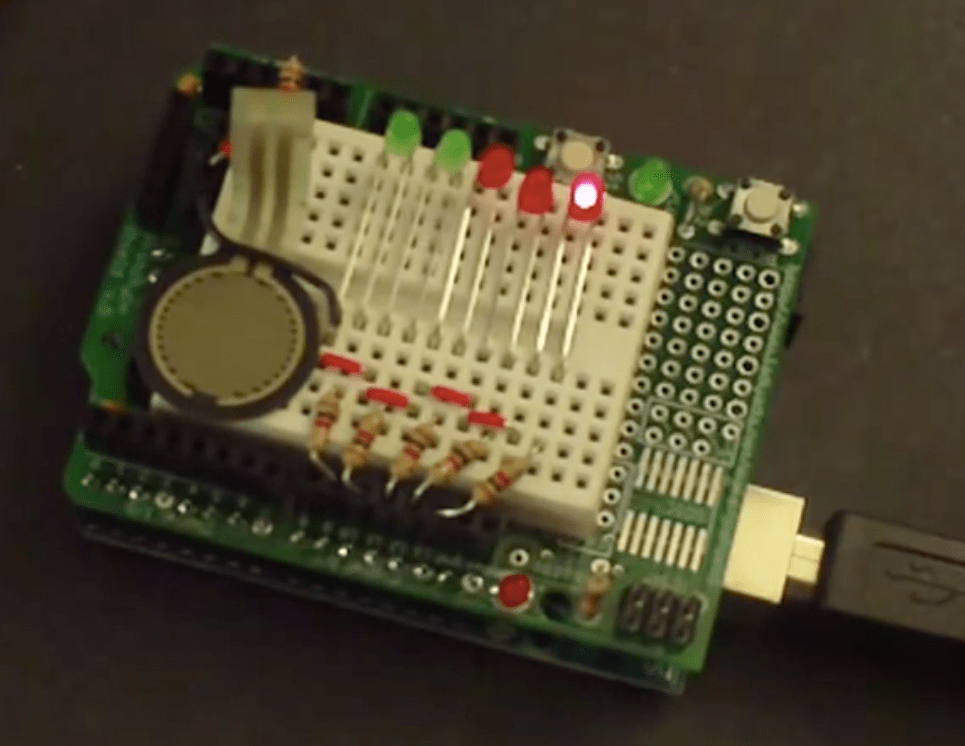
This week I made a project with parts from the Arduino Starter Kit. I skipped over building the Proto Shield from the kit, since I made a how-to a while back. Otherwise, it’s a simple build that doesn’t require any soldering.
Check out makezine.com for more information and the code. http://blog.makezine.com/archive/2008/12/howto_tuesday.html

The LoL Shield for Arduino has Lots of LEDs! http://www.makershed.com/ProductDetails.asp?ProductCode=MKJR3 music by Collin Cunningham

John Park of Make: magazine builds a fun audio playback device using an Arduino, VoiceShield, and 2-axis joystick from the Maker Shed http://www.makershed.com/ProductDetails.asp?ProductCode=MKSKL3&Click=37845