









Super-simple DIY synth plans

“From Ray Wilson, inventor of the Soundlab Mini Synth comes the Wacky Electronic Noise Maker Thingy. It’s a much simpler circuit, which produces surprisingly cool pulsing, bleeping type noises. You can hear sound clips here. It’s made with a handful of components, a few pots and switches and a 9v battery. There’s a very clear schematic, a PCB design and a stripboard layout.” Thanks Tom! Link.

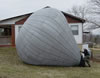 Jim writes “Plans for a quarter-scale sized hot air balloon. Radio controlled propane burner quickly lifts the balloon into the air – and it is big enough to haul up a digital camera. Video of the balloon in action is downloadable from the site.” The plans cost money, but the freebie section has some good stuff too.
 Roland sent along this great DIY site for building Halloween settings “For Halloween 2004, we added a spooky crypt to our graveyard scene. This project requires a fair amount of work, but with a few helpers (at least one of which has some woodworking skills), you too can have a ghost haunt a crypt for your Halloween celebration.”
 Good tool for winter Make projects – The Icebox tool lets you build an igloo out of any type snow. I made 4 igloos last winter – all with different types of snow: one with heavy, wet, “packing” snow, two with new powder, and one with “sugar snow” – ice crystals that pour like white sugar. [
 Here’s another laptop to picture frame project – this one uses an iBook. The iBook screen was flipped around, a new color added and the whole thing uses a hockey puck to stand on its own. The power button was moved to a more accessible spot too.
 I’m not sure why I like this, perhaps it’s because I’d like to put text/code on edible things at all the conferences – then eat them. This company makes food embossing gear, I really like the pizza roller, you roll it along and it makes text in the dough, then you bake it. You could automate it, and put RSS feeds or stock prices on them, but that might be going too far.
 Ars technica has a handy guide on converting videos for your iPod video. The how-to covers encoding on a Mac using QuickTime pro, ffmpegX and handbrake. On the Windows side, QuickTime pro (again) as well as DVD decrypter/Nero and DVD Decrypter/meGUI. Thanks CK.