





[youtube=http://www.youtube.com/watch?v=Hn9KfJQWqgI&w=600&h=338]
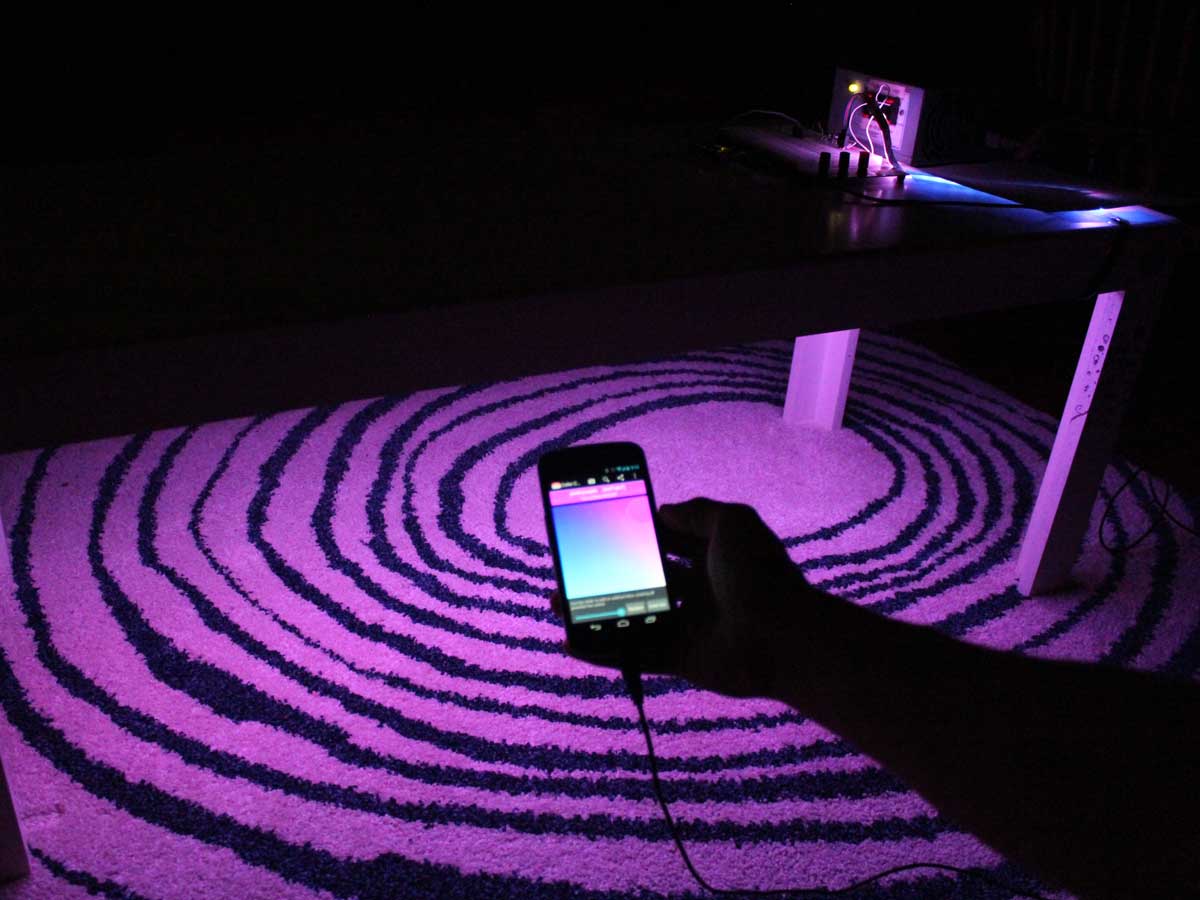
Connect a multicolor LED strip to your smartphone to make a touch-controlled light show! You can attach the color-changing LEDs to the underside of a coffee table, your bike, or anything else you think needs a bit more color.
There are many ways to connect your smartphone to an embedded microcontroller. In this project you’ll use an Android phone in USB host mode. This way, the Android phone both powers and communicates with the Arduino! Even though the Arduino is connected via USB, the communication happens via serial, just like when an Arduino is connected to your computer.
Once you’re able to make your phone talk to an Arduino, a whole world of new projects opens up!

Download the code
- Download the app and installer at trevorshp.com/creations/ArduinoColor.apk.
- You can also grab the complete source code at github.com/trevorshannon/ArduinoColor.
CAUTION: Build this project at your own risk. We fried a phone during our test build. Not all Android phones are compatible with USB Host Mode. Use only compatible phones, with the proper Android operating system and USB Host Mode drivers. To learn more, visit How can I determine if my device has USB host mode (OTG) support?
We are all makers

Very nice! One question that isn’t directly Arduino related – how did you make the frosted ‘Make’ lettering? Is it perspex, paper or something else? And was it cost effective?
It looks like (some kind of a support system inside first of all), laser cut panels of frosted acrylic, and then the grey edges might be whats known as illustration board (a kind of thick paper) glued to the edges.
what program do you use for the application in Android Eclipse, NetBeans or Which one ?
very nice work.
Do You know if arduino 2009 is supported or not?
tks,
Pippo
I liked it better if it were possible to change color by bluetooth. Already I was looking and I tested several none worked. If anyone knows what to say.
You probably need to add a Bluetooth shield to your Arduino so it can receive the signal
Hi Trevor,
Can you please elaborate why you chose a TIP31 transistor and 1KΩ resistor?
How much base current is needed to switch the 1.2A 1-meter LED strip?
Also, with the 1KΩ resistor means the Arduino is only outputing about 5mA current or less, right?
Sorry, just trying to better understand the transistor-resistor relationship.
Regards,
Omar
You can also look at this project for more infos:
http://rosafante.altervista.org/ledsottoscocca-bluetooth-rgb-led-stripes-arduino-android/
hey guys, I’m new to this, so take it easy on me when i ask : are u guys using the Arduino Uno or something other Arduino board ?
No this is the arduino Uno i believe
Thanx :)
Hey im having trouble making this project work my Android device doe not seem to be communicating with the arduino and at first the led strip went white but would not change color When i opened the app but now the led strip does not work at all
Not many smartphones have support for USB Host Mode. The two I had didn’t. My Nobis 7″ tablet did. If you want to find out if your smartphone can run this app, install USB Host Diagnostics app and it will tell you.
How is this being powered?
12 volts dc
Sorry for replying to the VERY old comment, but i can’t find this anywhere. How do I connect a 12v power supply to the breadboard?
Hi Trevor,
Just wondering: If I plan to add a bluetooth connection to this, what are the codes I should include in this existing one?
i am really scared that iu i might fire up my phone . So is it possible to use bluestacks app player and install the app on laptop and provide the value of colours to the aurdino board ?
Hi! Could you please tell us why you use transistors instead of MOSFETs?
can…..i try it before…
it successfully run and we win exibition
assalamualaikum, I AM network student,this arduino coding can apply on the intel galileo board??THANkS Trevor
Hello Trevor for a test i used only 3 leds and instead of tip 31 2n2222 it worked good for me. Thank you for the project.
Will tip31 work when I have 6m long LED? Cous it is 3A and I will need 6A – Which transistor shuld I use? Or can I simply cut LED 2x3m and put 2 of them?
Thx for help
Hola Trevor, ¿cómo pordría hacer para controlar las tiras de led rgb a travez de la notebook con un emulador de adndroid?
Agradecería una pronta respuesta.
Saludos
http://www.tweaking4all.com/hardware/arduino/arduino-ws2812-led/
I really like this project and I’m thinking of choosing it as my project in one of the courses I’m studying currently.
My question is : is it possible to control the LED strip via PC instead of an Android device?
Could I up the voltage for more powerful lights, say 120v and 50 watts?
Awesome project! This inspired me to make a Led strip that can be controlled over WiFi with a Android app I wrote. You can see it here: http://jakebergamin.com/2016/02/08/wifi-led-strip/. The circuit diagram you provided was very helpful.
https://github.com/ayushmaanbhav/ColorfulSound
controlling brightness and colors of led with sound (beats, frequencies etc)
arduino code for led ws2811/ws2812 ?
Hello. Can you give me the circuits without using power supply 12 v? Instead, Just an adapter by it connected to the extension wire?
Can i get code for bluetooth app…i want to do via bluetooth
My smartphone support otg like USB but the arduino colors app cannot change the colour of rgb led..
Plz help me out….
i want to save last color when i disconnect the cell phone
How is the transistor supplying 12 V if its never connected to the 12V supply?
Im not getting a prompt on my phone when i coonect arduino to my phone. After opening the app the led is not turning on.What is the problem?Can anyone help?
Hey Trevor,
How can I connect a bluetooth device to this concept? I want to have it wireless. Thankyou
RGB LED strips usually have 4 wires: one for power, and one each for red, green, and blue control.
I want to control my led strip using PC not my android phone
if i want to connect bluetooth module then waht change i have to make in code
ConfigureACCEPT
Privacy Overview
Necessary cookies are absolutely essential for the website to function properly. This category only includes cookies that ensures basic functionalities and security features of the website. These cookies do not store any personal information.
Any cookies that may not be particularly necessary for the website to function and is used specifically to collect user personal data via analytics, ads, other embedded contents are termed as non-necessary cookies. It is mandatory to procure user consent prior to running these cookies on your website.
