









HOW TO best spend $250 on computer upgrades
 Your PC may not be stuck in the technological stone age, but your beloved system that you may have built piece by piece with the best CPU, graphics card, motherboard and other components available at the time has slipped far down the high-end scale. So is it time to rebuild from scratch again or does a more inexpensive alternative exist that will not put a serious dent in you wallet? What if we told you that you can take your outdated system and give it a shot where it counts – and all for under $250. Link.

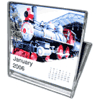 Re-use your old CD jewel cases! Turn them into desktop calendars. Create your own calendars by selecting a different photo for each month of the year. Just “drag and drop” your photos from iPhoto or the Finder. Good idea for a holiday gift.
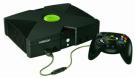 We agree…what if Microsoft were to offer up an upgrade program, releasing their own ‘modchip’ to permit programs like XBMC to run? It would be an ideal solution to stream videos to the kids TV, and allow for file and content management from the central server. No more scratched DVDs or CDs, and the device is ready to go as far as connectivity is concerned.
 Another Oil PC, the videos are really neat…Ever since I first saw the Oilcomputer, I was impressed. I wanted to do something Similar, yet different. I did not want a blatant ripoff of the Oilcomputer, that would accomplish nothing. I wanted to take the oilPC concept and make it a little bit more refined. I wanted it smaller, and i did not want it to look like your regular rectangular aquarium. Oh yea. and i wanted it documented in english.

 Here’s an amazing video of a Michigan guy named Wally Wallington (really!) who thinks he’s cracked the method which was used to build Stonehenge. In the video he stand a 19 ton monolith upright by himself using nothing but wood, some rocks, sand, and a hose. It’s some really freakin’ amazing stuff! Oh, and he also uses a variation of his technique to move a pole barn by himeself over 300 feet! [
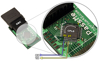 For Nintendo DS owners- This interface allows to connect PassMe to the computer and to other devices. Connection to the computer can be through RS-232 (serial com port), USB and bluetooth. Other devices that can be connectod are PDA keyboards, data modems, servo and motor controllers, GPS modules, radio data transmitters, etc…