










DIY Mouse Modding
 Greg from DIY has some tips on mouse modding “…there may be some interest in modding a mouse, so it is important to understand how they work. You may want to control the cursor for some sort of a project. A rollerball mouse has has a ball that rolls on the desktop when you move the mouse. This movement turns a wheel that has small spokes in it. There are two different infrared LEDs, and two different infrared detectors per wheel, and there are two wheels per mouse. One wheel controls up and down, and the other one controls left and right.” Link.

 If you know Flash, you can make games for that slick little U10 “The iRiver U10 is a new portable media player from Reigncom Ltd. whose entire user interface is implemented in Flash Lite 1.1. This means the player itself is embedded in the operating system. The device has the ability to play back Flash SWF files that you transfer to the device using the included USB cable. The device’s unique form factor and UI make it particularly well suited for simple Flash games. The device has a four-way navigational control built into the display screen. To press Up, Down, Left, or Right, you actually squeeze the edge of the screen, which produces a slight tactile click and sends a keyPress event to the Flash Lite player.”
  Handy how to for getting started with DC motor control – “This article explains the basics of how to get your motor to give feedback to a microcontroller and then control the speed of the motor with a good deal of precision (well… good enough for our robots). You can select any speed you want the ‘bot to go and it will try to go that speed – even if it runs into difficult terrain. It will apply more power when it senses a slow down and the power will continue to be increased until the wheels turn at the selected speed (or until you run out of battery juice). In fact, it is quite interesting to command the robot to turn at a low rpm and then watch it crawl very slowly across the carpet. If you put your hand on it to stop it, it ‘hunkers’ down and starts pushing harder until you let it go. It then quickly settles into its slow and straight crawl.”
 BBC’s article on turning that old record collection to MP3s “With all the talk of MP3 and digital formats, it is easy to forget that music started off as analogue, on records. Chris Long shows how you can drag those magic vinyl masterpieces into the digital age.” [
 Join the creators of MAKE magazine, the MythBusters, and thousands of tech DIY enthusiasts, crafters, educators, tinkerers, hobbyists, science clubs, students, and authors at MAKE’s first ever Maker Faire. All kinds of people who make amazing things in garages, basements, and backyards. Inspiration, Know-How, and Spirited Mischief-Making: Weird Science, Ultimate Garage, Robotics, Digital Entertainment/Gaming,Green Tech & Electronics Recycling, Ultimate Workshop MAKE: Remix Video Film Festival and more… I have a lot more to post about all this, but the site is live go check it out!!
 Phil writes – “Over the past few years, I’ve built up a few battery packs for myself and for other people. Most of them worked fine – in fact, one of the first packs I built over five years ago is still in service, working fine in a torch in the bottom of my cupboard. The big problem with soldering to batteries is that you tend to damage the plastic separator, and the cell seals. This – as you might guess – is not a Good Thing. In some cases, solder can splatter over the cell’s pressure relief vent. There’s a reason the datasheets make a big fuss about the vent – in an overpressure situation, the vent is used to release the excess pressure in the cell. Needless to say, blocking the vent with solder is never a good plan, unless you’re trying to get a Darwin Award, or you happen to enjoy watching your battery pack undergoing rapid, uncontrolled self-disassembly.”
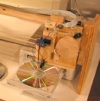 Great Maker project for CD burning automation – “Building some sort of gadget that changes the CDs in my cd tray is something I have often thought about. Mostly in the context of ripping my CD collection or burning a backup of my 5 gig photo collection. My first thought was to come up with something extremely simple, with no electronics. Ideally, the motion of the cd tray would trip some sort of mechanism that would eject the CD from the tray and insert the next one. After months of thinking, I still hadn’t thought of a mechanism that had a hope of actually working.”