









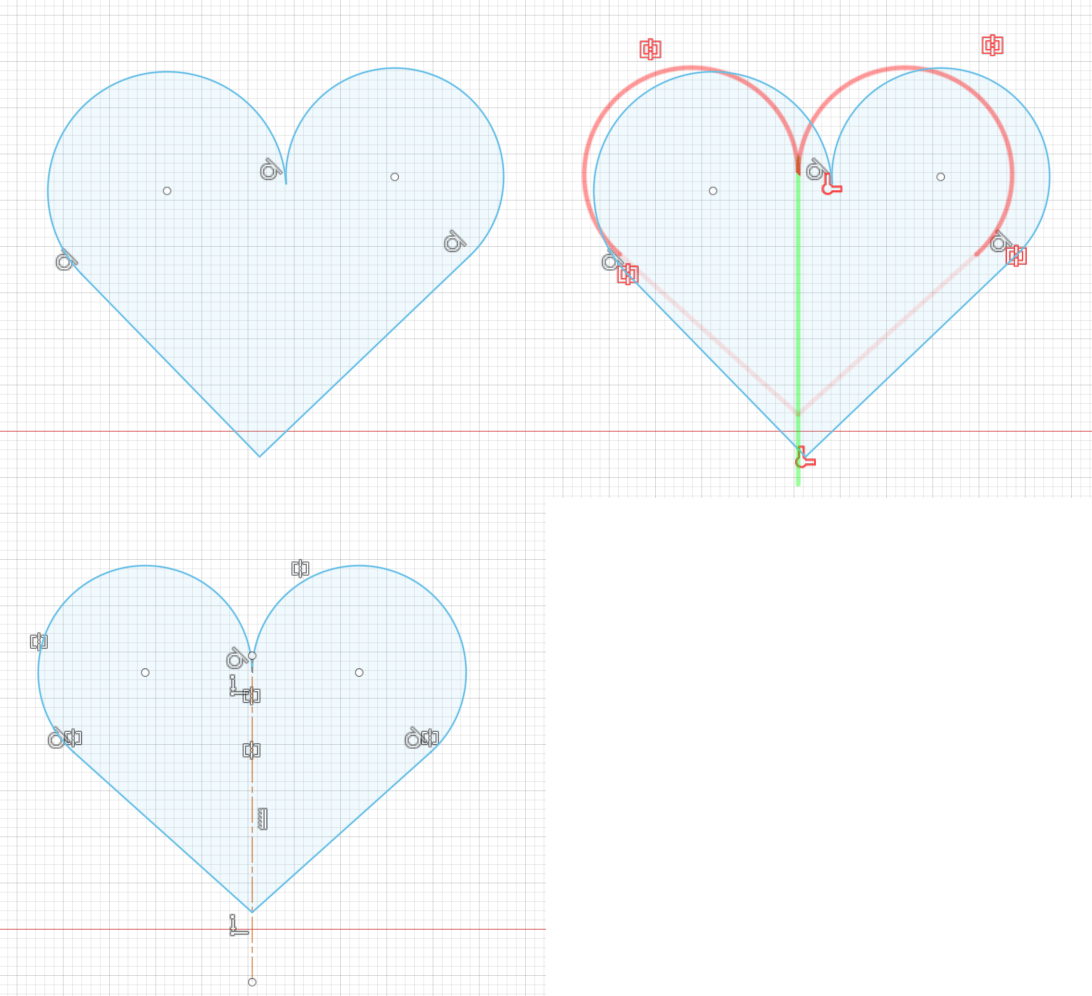

There’s something about a well-built CAD model that appeals to the logic-hunting mind. A fully-defined sketch helps prevent errors in your design, sure, but for some it’s also a step towards inner peace. If your soul breathes a sigh of relief when the last warning icon fades away, you should give Hestus a try.
Origin story
I met with founder Sohrab Haghighat to learn what inspired Hestus, and discovered this AI tool was born from experience. Haghighat is an aerospace engineer who previously ran a space launch company (SpaceRyde). They were a small startup competing against major players with deep pockets, and couldn’t afford to waste time on trivial tasks. Unfortunately, there were times when that was impossible to do.
After watching skilled engineers spend days tediously defining the finer points of a model, he wanted a tool that would speed up their workflow without getting in the way. One that would save their best talent’s time for more interesting work. So he decided to build the tool he wished he’d had.
There’s something refreshing about that approach. The idea is to assist the best engineers, not replace them. To help them do the creative part. In this paradigm the humans do all the steering and get their hands dirty; the AI helper does only a little, but well.
How does it work?

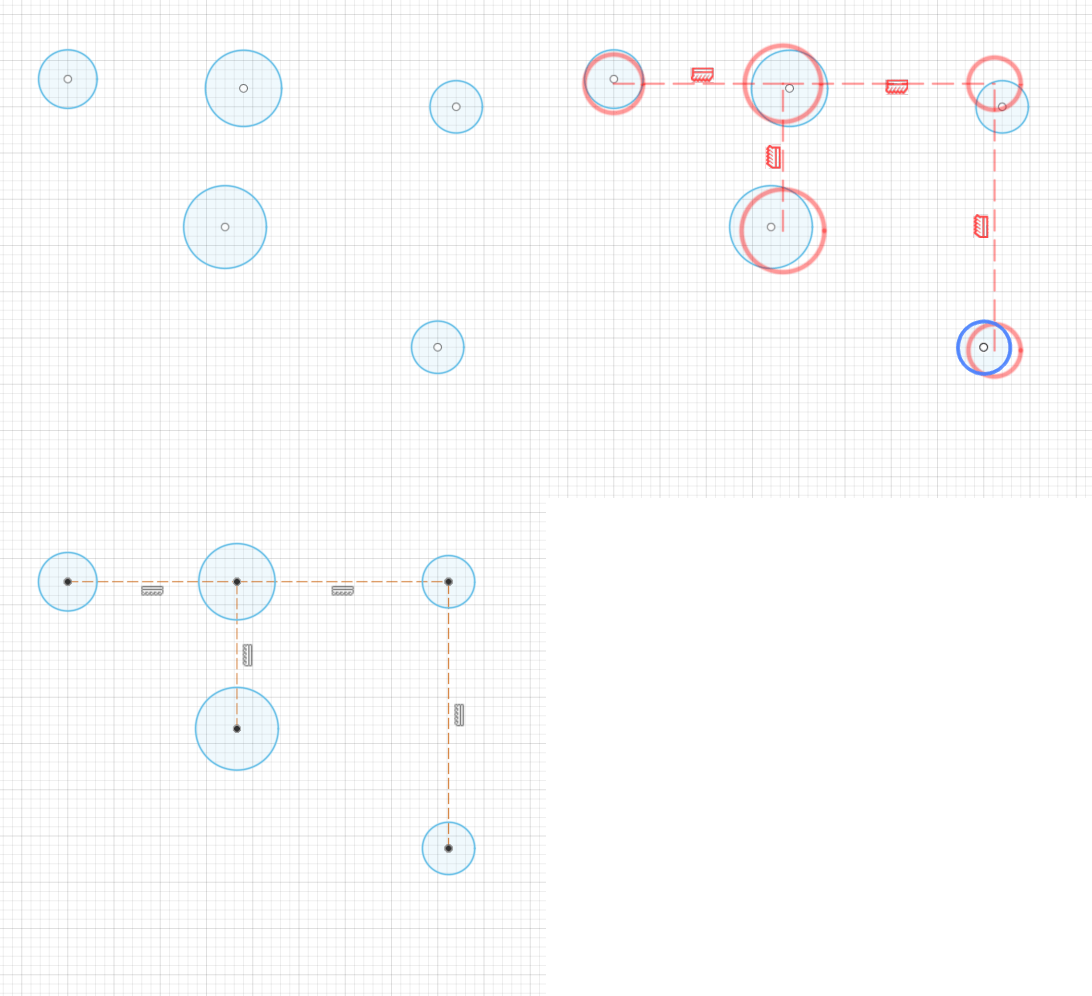
Hestus is a plugin for Autodesk Fusion (with Solidworks support coming in June). Once you start sketching, it pops up a small window and offers predictions about what you might want to do next. You can use hotkeys to cycle through and accept suggestions, or ignore them entirely.
While I enjoy CAD modeling, I admit there’s a lot about the process that’s pretty tedious. I was excited for anything that promised to speed up the boring stuff.
Putting it to the test
I tried the plugin on a few projects, starting with modifying an existing Raspberry Pi case. My original design worked, but I had a list of improvements I wanted to make. The Hestus helper sat in a small box off to the side making suggestions as they came up.
Hestus supports a wide range of geometry even at this early stage. See their gallery for examples. Most of the ideas it gave me were for adding constraints and related to symmetry. Since my enclosure was pretty symmetrical, they were usually excellent.

For extremely geometric designs, it worked great. A model of a Lego brick played well to its strengths. And when it had multiple ideas, often the first one was the best.
I tried drawing a clock face for a mix of creative design and rigid rules. This was a little beyond its current sweet spot, as it doesn’t yet recognize radial symmetry, but it’s on the roadmap. Overall, pretty much every sketch I started benefited from the construction lines and constraints it added.
What’s next?
Speaking of future plans, they’re working on adding even better predictions, as well as more constraint types like midpoints, collinear, and then circle patterns. To be fair, Hestus is an unusual tool, and building it takes unusual effort.
There are 3D model generators you can use based on LLMs, but this isn’t one of them. As Haghighat points out, an LLM can never understand physical geometry. So they needed to train a new model from the ground up. Today Hestus offers small suggestions that predict the user’s actions 10-30 seconds in the future, but eventually they want to support 3D features (like extrude) and predictions two minutes in the future. They plan to “offer more complex recommendations to our users … such as recommending a new geometry, applying a constraint, and adding a dimension all in one go.”
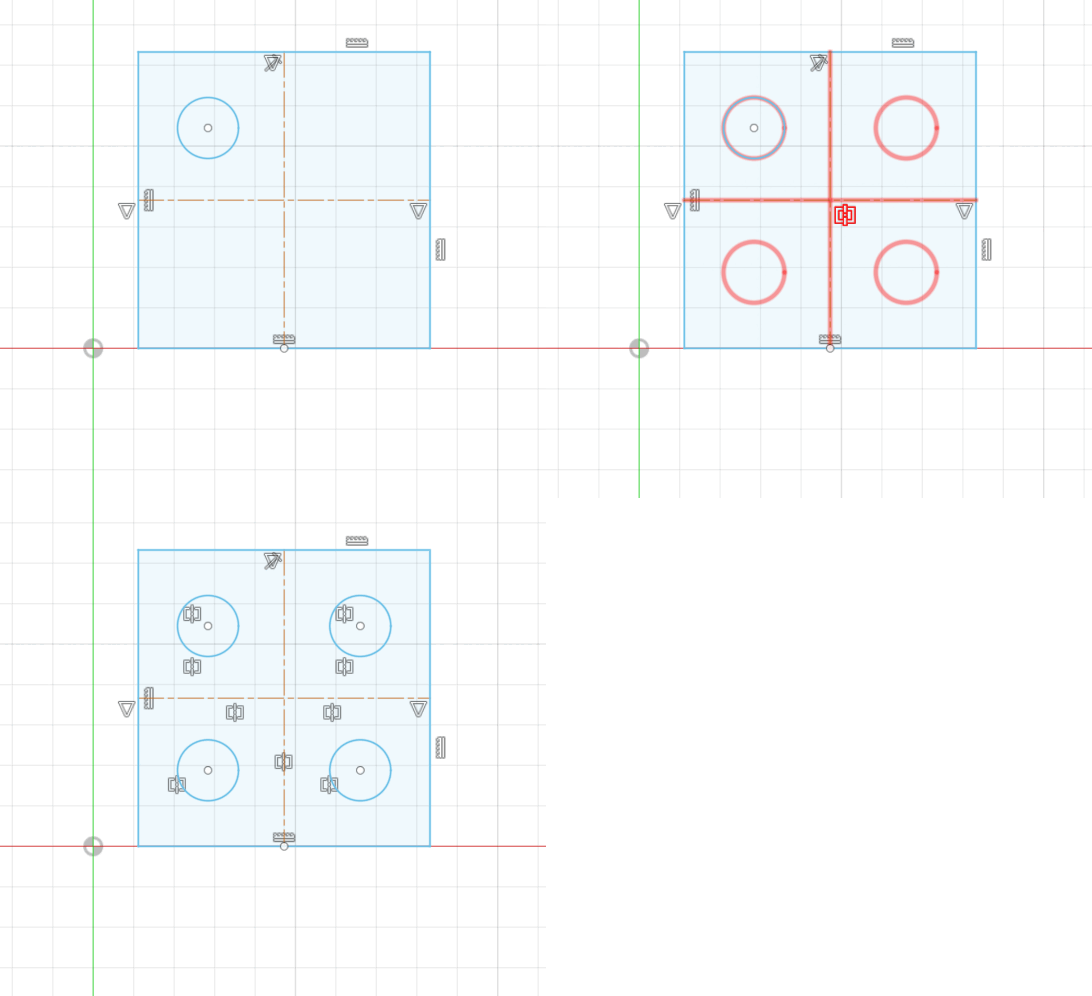
Image by Hestus.
Haghighat sees even more possibilities going forward. What if Hestus understood the manufacturing process and design intent, and warned if things were going wrong? What if it could warn if walls were getting too thin for machining? Or what if it could recognize that a certain diameter hole is probably for a fastener, and warn if there wasn’t enough clearance around the opening?
Ultimately, all of the features are about leaving the human in control. Hestus would only intervene if things started going off course.
Conclusion
Hestus claims their tool can make CAD sketching an average of 2.5x faster, depending on how your design matches supported relationships. As more features are added, that already-impressive multiplier is only set to improve.
It’s a subtle tool offering useful actions to tighten up a sketch. It’s not autocorrect, but an opt-in suggestion letting you know it might have a better idea. Overall it felt like subtle but helpful guidance. I appreciate a product that wants to move slow and fix things.
Hestus is currently free to download.

ADVERTISEMENT


