









HOW TO Make Your Own $6 Microphone Pop-Filter
 This article will show you how to make your own microphone pop-filter. A pop-filter is a small screen that goes between a microphone and your mouth to prevent sharp popping sounds (known as plosives) like “P” and “B” words from overloading the mic level and distorting. Commercially available pop-filters are expensive and can often cost 20 dollars or more. The pop-filter you can build here will cost less than $6 dollars. Link.

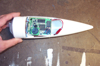 Here’s a directory of images and videos from a fellow who hacked a CVS cam and put it -in- a rocket. The launch video is amazing, from pad to sky to a lovely decent, until it lands in a tree- but it was later retrived.


 MAKE Creative Director David Albertson shared some of his fav tools with me – and now I’m sharing them with you! Not the latest gadgets, but two of my favorite tools are an
 Open up a copy of google talk on all computers with which you wish to conference. After one copy is opened make a new shortcut for google talk but at the end of it add /nomutex. If you installed it to the default folder then your shortcut should read “C:Program FilesGoogleGoogle Talkgoogletalk.exe” /nomutex. Open 2 instances of the software on every user’s computer. After this start a chain: User 1 should connect on one instance to user 2. User 2 will connect on his second instance to user 3. User 3 will connect using his second instance back to user 1. With this chain everyone is connected to everyone. [
 Hydroman writes “You might say I am a shade-tree scientist. I am doing a research and development project of my own. I am making hydrogen from beer cans, water and sodium hydroxide. Visit my website to see the plans, watch the videos and leave comments in the forum. I had a lot of fun making the videos. This is an opensource project. Join in the fun!”
 Railfans are building life-size, full-scale railroad cabs that look and function like the real thing, then projecting scenery onto their wall. And for music, you can hack their USB controller to turn it into a music / video / VJ controller, using either the Windows SDK (for hard coding) or a Mac app called junXion (for simple MIDI, useful with Max/MSP/Jitter, audio and VJ apps etc.) Aside from the train controller interface, you could use their I/O box to build any controller you wanted. There are other I/O boxes that use USB, but theirs has an unusual number of ins and outs, saving you basic stamp programming. And it’s also comparatively cheap. They also make bunches of custom controllers, keyboards, everything…