









The Sangaku Case Mod
 300 hours and approximately 130 wood joints to build, Nicholas Falzone’s excellent case mod “The Sangaku case mod a fusion of computer technology with Japanese the furniture-making tradition. Sangaku translates to “mathematics tablet” in Japanese. The top connects the sides, with the shorter pieces lining up with the lines from the doors and the acrylic strip carrying the black from the front of the case up and over through the back. The two sides started out being four sliding shoji doors, two per side, but to get the lighting to work, I combined the two on one side. The joinery on the doors was made almost entirely by hand, using Japanese chisels and a dozuki saw.” [via] Link.

 Print out a working plastic gun, or a self contained puzzle…Sascha from wmmna writes “The design products-department at the Royal College in London teamed up with a company called 3D Systems to get their hands on some state-of-the-art rapid-prototyping equipment. The brief was to create projects that are not prototypes but products that couldn’t have been made with any other technique. The results were quite stunning and point towards a future of manufacturing that seems to be swiftly approaching…”
 In MAKE 01 we have a great


 “Radii-a 1950s-style radio with Internet content – a box with buttons and dials used to select bands and tune stations in a familiar way. Because this radio receives Internet radio, it provides hundreds of noise-free stations with a wide variety of listening options. The band selection dial, instead of AM and FM, is used to select genres such as News, Sports and Rock. The station selection dial scrolls through station names that can be tuned by clicking the select button.” Thanks
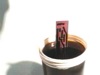 Handy how to on making printed circuit boards, Incepinar writes – “I spent a lot of time to find an easy to use PCB drawing program and failed. (Believe there should be lots of but it’s just me can’t find it!) All of them I came across were either so professional or hard to handle. So, in admiration of the AMIGA’s Deluxe Paint, I decided to use Windows’s Paint program to create my own PCBs. All I needed was it’s copy and paste functionality. Thus any other drawing editor on any Operating System may be utilized for the following work style that I currently (and will continue to) use.”
 Just another creepy addition to our